
ClickFunnels vs Rank Math: Which One is Best in 2025?
In the ever-evolving digital landscape, tools like ClickFunnels and Rank Math have become essential for marketers, entrepreneurs, and SEO professionals. But if you’re looking to supercharge your online presence in 2025, which tool should you choose? This article dives deep into a detailed comparison of ClickFunnels vs Rank Math, analyzing their features, benefits, and use cases to help you make an informed decision. What is ClickFunnels? ClickFunnels is a powerful sales funnel builder designed to help businesses convert visitors into leads and customers. It simplifies the process of creating high-converting landing pages, email sequences, and checkout processes without requiring coding expertise. Key Features of ClickFunnels Drag-and-Drop Editor: Quickly design custom landing pages and sales funnels. Pre-built Templates: Hundreds of templates tailored for different industries. A/B Testing: Optimize your funnels with real-time split testing. Membership Sites: Create and manage subscription-based businesses. Seamless Integrations: Integrates with popular tools like Stripe, PayPal, and Zapier. Best For: Entrepreneurs launching products. Businesses running paid ad campaigns. Companies focusing on lead generation and nurturing. What is Rank Math? Rank Math is a robust SEO plugin for WordPress websites. It helps you optimize your content to rank higher on search engines like Google and drive organic traffic. Key Features of Rank Math SEO Analysis: Provides real-time optimization suggestions for your content. Schema Markup: Adds structured data to improve search engine visibility. Keyword Tracking: Monitor keyword performance directly from your WordPress dashboard. XML Sitemap Generator: Automatically generates and updates sitemaps. 404 Monitor & Redirections: Tracks broken links and allows easy redirection setup. Best For: Bloggers aiming to increase organic traffic. Businesses focusing on content marketing. Website owners optimizing for technical SEO. Feature Comparison: ClickFunnels vs Rank Math Feature ClickFunnels Rank Math Primary Use Case Sales funnel creation SEO optimization for WordPress Ease of Use Beginner-friendly Slight learning curve for advanced features Pricing Starts at $97/month Free plan; Pro starts at $59/year Integrations Extensive (email, payment gateways) Limited to WordPress plugins and tools Customizability High (drag-and-drop builder) Moderate (depends on WordPress themes) Best for Lead generation, conversions Organic traffic growth, search rankings Pros and Cons of ClickFunnels Pros: All-in-one tool for creating high-converting sales funnels. Saves time with pre-built templates and automation. A/B testing features help maximize ROI. Cons: Expensive for small businesses or individuals. Limited SEO capabilities. Heavily focused on paid traffic strategies. Pros and Cons of Rank Math Pros: Affordable pricing, with a feature-packed free plan. Advanced SEO tools to optimize content for organic traffic. Great for technical SEO improvements. Cons: Requires WordPress; not a standalone tool. Not designed for conversion optimization or sales funnels. Which One is Right for You? The choice between ClickFunnels and Rank Math depends on your business goals: Choose ClickFunnels if: You prioritize lead generation and sales conversions. Paid ad campaigns are a key part of your strategy. You want an all-in-one platform to create and manage funnels. Choose Rank Math if: Your primary focus is driving organic traffic. You’re a content creator or blogger using WordPress. You want to enhance your website’s technical SEO. Can You Use Both? Absolutely! Many businesses combine these tools for maximum impact. Use Rank Math to optimize your WordPress website for organic traffic and ClickFunnels to create targeted landing pages for paid campaigns or lead generation. This hybrid approach ensures you’re leveraging both organic and paid channels effectively. FAQ’S 1. What is the main difference between ClickFunnels and Rank Math? ClickFunnels focuses on creating sales funnels and driving conversions, while Rank Math is designed for SEO optimization and improving organic traffic for WordPress websites. 2. Can I use ClickFunnels without a website? Yes, ClickFunnels allows you to create standalone landing pages and funnels without needing a separate website. 3. Is Rank Math suitable for beginners? Rank Math offers beginner-friendly features, but some advanced SEO functionalities may require a learning curve. 4. Which tool is more cost-effective for small businesses? Rank Math is generally more cost-effective due to its affordable pricing plans and free version, whereas ClickFunnels can be expensive for small businesses. 5. Can I integrate Rank Math with ClickFunnels? Direct integration is not possible, but you can use them together by linking optimized content from your WordPress site (using Rank Math) to your ClickFunnels landing pages. 6. Are there free alternatives to ClickFunnels and Rank Math? For ClickFunnels, free alternatives include Mailchimp and GrooveFunnels (basic plans). For Rank Math, Yoast SEO is a popular free alternative. 7. Which tool should I choose for lead generation? ClickFunnels is the better choice for lead generation as it is specifically designed to capture and convert leads through its funnel system. Final Verdict In 2025, both ClickFunnels and Rank Math continue to dominate their respective domains. If conversions and sales are your top priorities, ClickFunnels is your go-to solution. On the other hand, if you’re committed to building long-term organic traffic, Rank Math is the clear winner. Evaluate your business needs, budget, and growth strategy to make the right choice. And if you’re ready to skyrocket your online presence, why not give both tools a try?
How To Create Topical Authority Map (2025)
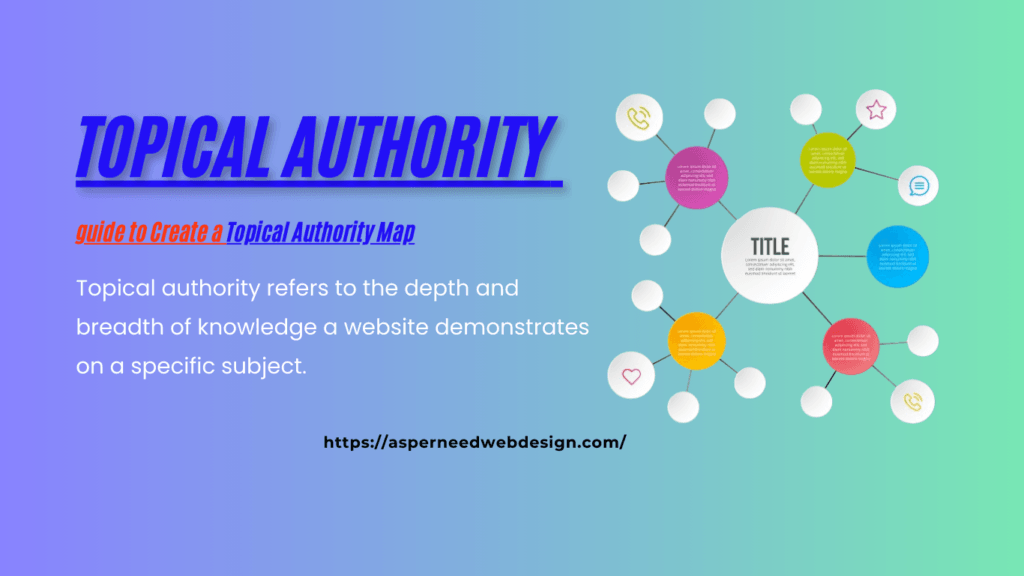
In the ever-evolving world of search engine optimization (SEO), staying ahead requires not just technical know-how but also a strategic content approach. One powerful concept that has gained momentum in recent years is topical authority and the creation of a topical authority map. This guide will explain what topical authority means, its role in SEO, and how to build a topical authority map. We’ll also explore tools, compare topical authority to link-building, and provide actionable tips to master this strategy. What is Topical Authority? Topical authority refers to the depth and breadth of knowledge a website demonstrates on a specific subject. In simple terms, it’s how much of an “expert” your website is perceived to be on a particular topic. For example, a website focused entirely on vegan recipes, with detailed guides, reviews, and nutritional insights, would gain topical authority in the niche of veganism. Topical authority is earned when: Importance of Topical Authority in SEO? In the context of SEO, topical authority is a measure of your website’s ability to rank higher in search engine results for queries related to a specific topic. Google and other search engines reward sites that: Topical authority goes beyond sprinkling keywords across your site. It’s about becoming the ultimate resource for a topic by: Google’s Take on Topical Authority Google’s algorithm places increasing emphasis on expertise, authoritativeness, and trustworthiness (E-A-T) when determining rankings. By building topical authority, you align with Google’s goal of providing users with reliable and relevant results. Here’s how Google assesses topical authority: What is a Topical Authority Map? A topical authority map is a visual or strategic framework that outlines how different pieces of content on your website interconnect to build authority on a specific topic. Think of it as a content roadmap that: Steps to Create a Topical Authority Map: Topical Authority map generator Tools SEMrush Content Planner SEMrush Content Planner is a valuable tool for identifying subtopics and creating content clusters. It allows users to discover relevant keywords and organize them into meaningful categories. By analyzing competitor strategies and user search intent, SEMrush helps you map out a content plan that aligns with your goals. This ensures you cover all critical aspects of your core topic comprehensively. The tool’s ability to highlight keyword difficulty, search volume, and trends makes it indispensable for building topical authority. By grouping related keywords into clusters, you can create interconnected content that enhances both user experience and SEO performance. SEMrush’s insights ensure that your topical authority map is data-driven and optimized for maximum impact. Ahrefs Content Explorer Ahrefs Content Explorer simplifies the process of discovering content ideas and mapping keyword relevance. It’s particularly useful for finding gaps in existing content and identifying trending topics within your niche. By analyzing high-performing pages, Ahrefs provides insights into what resonates with your audience and where you can build authority. With features like backlink analysis and social shares tracking, Ahrefs helps you prioritize content that drives engagement. This makes it an excellent tool for refining your topical authority map. By focusing on keywords and topics that have proven success, you can create content clusters that consistently rank well. MindMeister MindMeister is a visual mind-mapping tool ideal for organizing content clusters in a clear and structured way. This tool allows you to brainstorm subtopics, link related ideas, and visualize the overall structure of your topical authority map. Its drag-and-drop functionality makes it easy to adapt and expand your map as new content opportunities arise. Using MindMeister, you can ensure that your content strategy remains cohesive and user-focused. By visually connecting pillar topics with supporting content, you create a logical flow that enhances navigation. This structured approach is crucial for both search engine crawlers and human readers, helping you build authority effectively. Google Sheets or Airtable Google Sheets and Airtable are versatile tools for outlining your topical authority map. They allow you to create detailed spreadsheets that track your content’s progress, internal linking, and keyword coverage. These tools are particularly useful for collaboration, enabling teams to update and refine the map in real time. With customizable templates, you can organize content clusters, assign tasks, and monitor performance metrics. Google Sheets and Airtable provide the flexibility needed to manage large-scale content strategies. By keeping your topical authority map well-documented, you ensure consistent and efficient execution of your SEO goals. Topical Authority vs. Link-Building While both topical authority and link-building are essential for SEO, they serve different purposes and offer unique benefits: Aspect Topical Authority Link-Building Focus Creating comprehensive, interlinked content Acquiring backlinks from other websites Dependence Internal factors like content and structure External factors like outreach efforts Impact on Rankings Builds organic authority over time Boosts site credibility with quality links Sustainability Long-term, evergreen strategy Short-term boosts; needs continuous effort While link-building can complement topical authority by increasing credibility, relying solely on it without a solid content strategy limits your site’s potential to rank sustainably. Actionable Tips to Build Topical Authority FAQ 1. What is a topical map example? A topical map is a structured representation of content organized around a central theme to establish topical authority. For example, if your main topic is “Digital Marketing,” a topical map may include subtopics like: By covering all relevant subtopics, you create a well-structured knowledge base that signals authority to search engines. 2. How do I create a custom map? To create a custom topical authority map, follow these steps: 3. How to create a positioning map? A positioning map visually represents how different brands, products, or services compare based on key attributes. To create one: 4. Why is a topical authority map important for SEO? A topical authority map helps search engines understand your site’s expertise. By structuring content logically and interlinking related articles, you improve indexing, rankings, and organic traffic. 5. What tools can I use to create a topical map? You can use: 6. How does internal linking help in a topical map? Internal linking: 7. What’s the difference between a topical authority map and a content silo?
Elevating Your Digital Presence: Top 7 Jaipur-Specific Website Growth Techniques
In the vibrant landscape of digital marketing, understanding the nuances of local markets can be the key to unlocking exponential growth. Jaipur, the Pink City, is not only a cultural hub but also a thriving economic center. In this blog post, we delve into Jaipur-specific website growth techniques tailored to harness the potential of this dynamic market. Use these 7 Jaipur-Specific Website Growth Techniques to elevate your internet marketing:- 1.Local SEO Optimization: Jaipur’s burgeoning economy presents a plethora of opportunities for businesses to thrive. To stand out in this competitive landscape, optimizing your website for local search is imperative. Ensure your website incorporates relevant keywords and phrases specific to Jaipur. Leverage Google My Business to claim your listing, enabling your business to appear prominently in local search results. 2.Cultivate Regional Content: Capture the essence of Jaipur through tailored content that resonates with the local audience. Craft blog posts, articles, and social media content that highlight Jaipur’s culture, traditions, and events. Integrating localized content not only fosters a sense of connection but also enhances your website’s visibility among Jaipur’s populace. 3.Engage with Local Influencers: Collaborating with influencers who have a significant following in Jaipur can amplify your brand’s reach and credibility. Partner with influencers who align with your brand values and target audience. Encourage them to create authentic content showcasing your products or services, thereby fostering trust and credibility within the local community. 4.Leverage Social Media Platforms: Jaipurites are avid users of social media platforms, making it an invaluable channel for engaging with the local audience. Develop a robust social media strategy that incorporates platforms popular among Jaipur residents, such as Instagram and Facebook. Regularly share visually appealing content, engage with followers, and participate in local conversations to bolster your online presence. 5.Optimize for Mobile: With the increasing penetration of smartphones, ensuring your website is optimized for mobile devices is non-negotiable. Jaipur’s tech-savvy populace relies heavily on mobile devices for browsing the internet. A mobile-friendly website not only enhances user experience but also improves your website’s ranking in mobile search results, driving organic traffic. 6.Foster Community Engagement: Forge meaningful connections with Jaipur’s community by actively participating in local events, festivals, and charitable initiatives. Sponsor local events, organize workshops, or host meetups to establish your brand as an integral part of the Jaipur community. By fostering genuine relationships, you can garner invaluable word-of-mouth referrals and loyalty. 7. Harness the Power of Localization: Tailor your website’s user experience to cater to Jaipur’s unique preferences and cultural nuances. From language preferences to payment options, optimizing your website for localization enhances user satisfaction and encourages repeat visits. Additionally, incorporating Jaipur-specific testimonials and reviews instills confidence in potential customers, driving conversions. Conclusion: Navigating Jaipur’s dynamic market requires a nuanced approach that combines local insights with digital marketing strategies. By implementing these Jaipur-specific website growth techniques, you can position your business for sustained success in the Pink City’s competitive landscape. Embrace the vibrancy of Jaipur, connect with its community, and watch your digital presence soar to new heights.
AI in Web Development: Transforming Design, Speed, and User Experience

AI in Web Development is undergoing a seismic shift in the ever-evolving digital landscape, with Artificial Intelligence (AI) emerging as a transformative force. Once considered a futuristic concept, AI is now at the forefront of innovation, enabling developers to craft websites that are not only visually appealing but also highly functional and tailored to user needs. In this article, we delve into how AI is revolutionizing web development, focusing on its impact on design, speed, and user experience. The Role of AI in Web Development AI has transitioned from being a tool for data analysis to becoming an integral part of web development. It empowers developers to automate routine tasks, optimize website performance, and create user-centric designs. By leveraging machine learning algorithms and data-driven insights, AI is reshaping the way websites are designed, developed, and maintained. How AI is Used in Web Development There are several ways that AI is applied in web development: Automated Code Generation: Tools like GitHub Copilot assist developers by suggesting code snippets, reducing development time and minimizing errors. Personalized User Experience: AI analyzes user behavior to deliver tailored content, layout adjustments, and product recommendations. SEO Optimization: AI tools like Rank Math and Clearscope help optimize website content for better search engine rankings. Enhanced Security: AI-powered algorithms identify vulnerabilities and protect websites against cyber threats. Chatbots and Virtual Assistants: These provide real-time support and improve user engagement. Applications of AI in Web Development Dynamic Content Personalization: AI tailors website content to meet individual user preferences. Visual Recognition: AI identifies and organizes images and videos for better content management. Accessibility Enhancements: AI ensures websites are accessible to people with disabilities by providing features like voice navigation and automated alt text generation. Generative AI: Tools like ChatGPT can create content, design templates, or even generate complete website layouts. 1. Transforming Web Design Web design has always been a cornerstone of web development. With AI, designers can now move beyond static designs and create dynamic, responsive layouts that adapt to user behavior. Automated Design Suggestions: AI-powered tools like Adobe Sensei and Canva’s Magic Design offer automated suggestions based on user preferences, industry standards, and current design trends. This allows designers to save time while ensuring creative excellence. Personalized User Interfaces (UI): AI algorithms analyze user data to customize UI elements. For instance, an e-commerce website can present different layouts or themes based on a user’s shopping history and preferences, enhancing engagement. Improved Accessibility: AI can detect and address accessibility issues, such as ensuring text contrast for visually impaired users or providing text-to-speech functionalities, making websites more inclusive. 2. Enhancing Website Speed and Performance Speed is a critical factor in web development, influencing both user satisfaction and search engine rankings. AI-driven solutions are instrumental in optimizing website performance. Predictive Load Balancing: AI can analyze traffic patterns to predict peak usage times and allocate server resources accordingly. This minimizes downtime and ensures consistent performance. Content Delivery Optimization: AI optimizes content delivery by selecting the fastest routes for data transmission. For example, Content Delivery Networks (CDNs) integrated with AI can dynamically adjust caching strategies to reduce load times. Image and Code Optimization: Tools like TinyPNG and DeepCode utilize AI to compress images and clean up code, reducing the overall website size and improving loading speeds. 3. Revolutionizing User Experience (UX) A great web development process revolves around the user experience. AI enhances UX by making websites more intuitive, interactive, and engaging. Chatbots and Virtual Assistants: AI-driven chatbots like ChatGPT and Dialogflow provide instant support to users, answering queries and guiding them through the website. This lowers operating expenses while also improving client satisfaction. Behavioral Analysis: AI tracks user behavior, such as clicks, scrolling patterns, and time spent on pages, to provide insights into user preferences. This data is then used to refine the website’s structure and content. Voice Search Optimization: With the rise of voice assistants like Alexa and Siri, AI ensures that websites are optimized for voice search, providing a seamless experience for users who prefer hands-free navigation. Free AI Tools for Web Development Here are some free AI tools that developers can use to enhance their projects: Wix ADI (Artificial Design Intelligence): A free tool that creates personalized websites based on user input. DeepCode: AI-powered code review and bug detection. Figma Plugins: Free AI-driven design plugins for prototyping and layout suggestions. ChatGPT: For generating content and assisting with chatbot integration. AI Web Development Courses If you want to dive deeper into AI in web development, consider enrolling in these courses: Coursera: AI for Everyone by Andrew Ng Udemy: AI and Web Development for Beginners edX: Machine Learning and AI Applications Importance of AI in Web Development It is impossible to overstate the significance of AI in web development. It enhances efficiency, improves user experience, and enables businesses to stay competitive in the digital age. AI assists developers in concentrating on creativity by automating routine work and providing data-driven insights. Generative AI in Web Development Generative AI tools like OpenAI’s DALL-E and ChatGPT are transforming web development by: Creating design prototypes. Generating written content and marketing materials. Assisting in brainstorming and ideation. FAQs Q1. Can AI be used in web development? Yes, AI can be used in various aspects of web development, including design automation, content generation, performance optimization, and user engagement through chatbots. Q2. How can AI be used in a website? AI can be integrated into a website to personalize user experiences, optimize performance, enhance security, and provide real-time support through virtual assistants. Q3. Which AI is best for website development? The choice depends on your needs. Tools like Wix ADI are excellent for beginners, while TensorFlow and Keras are suitable for advanced AI integrations. Q4. What are some free AI tools for web development? Free tools include Wix ADI, DeepCode, Figma AI plugins, and ChatGPT for content creation and design. Q5. Why is AI important in web development? AI is important because it improves efficiency, enhances user experience, and enables developers to create innovative, data-driven websites. Q6. What is generative AI
How to Optimize Your Website for Google: A Beginner’s Step-by-Step Guide
Optimizing your website for Google is essential for improving visibility, driving traffic, and enhancing user experience. Whether you’re a small business owner or a blogger, this step-by-step guide will help you rank better on Google. Step 1: Understand the Basics of SEO SEO (Search Engine Optimization) involves a combination of strategies to improve your site’s visibility on search engines. It includes: On-Page SEO: Optimizing web pages for relevant content and HTML elements. Off-Page SEO: Building backlinks and establishing authority. Technical SEO: Ensuring your site is fast, mobile-friendly, and free of errors. Understanding these aspects helps you create a strong foundation for your website’s SEO strategy. Learn More: Moz Beginner’s Guide to SEO Step 2: Conduct Keyword Research Finding terms that your target audience searches for is made easier using keyword research. Use SEO tools like Google Keyword Planner or Ubersuggest to find keywords with high traffic and low competition. Focus on long-tail keywords that match user intent. Incorporate keywords naturally into your titles, headers, and body content to improve ranking. Step 3: Optimize On-Page Content On-page optimization involves creating quality content that is both informative and SEO-friendly. Here’s how: Engaging Titles & Meta Descriptions: Write concise, keyword-rich titles under 60 characters. Proper Heading Tags: Structure content with H1, H2, and H3 tags. Internal & External Links: Link to related pages within your site and reputable external sources to enhance credibility. Tools to Use: Yoast SEO Plugin | Rank Math Plugin Step 4: Improve Website Loading Speed A fast website ensures better user experience and higher rankings. Slow loading speeds can hurt your site’s SEO. Tips to Improve Speed: Compress images using tools like TinyPNG. Use a CDN (Content Delivery Network) like Cloudflare. Minimize the number of scripts and plugins on your website. Enable browser caching to store data locally for returning users. Step 5: Ensure Mobile-Friendliness Mobile optimization is essential as over 60% of internet traffic comes from mobile devices. A responsive website is easy to use on any device. Use a mobile-responsive design to ensure usability. Use Google’s Mobile-Friendly Test to see if your website works on mobile devices. Step 6: Build Quality Backlinks Backlinks are one of Google’s top ranking factors. Links from reliable websites tell search engines that a website is valuable and credible. Guest Blogging: Write informative articles for related websites. Broken Link Building: Provide your content to compensate for broken links on other websites. Social Media Sharing: Share your content on platforms like LinkedIn, Twitter, and Facebook. Learn More: Ahrefs Guide to Link Building Step 7: Submit Your Website to Google Submitting your site ensures Google can crawl and index it effectively. To keep an eye on the indexing status of your website, use Google Search Console. Generate a sitemap using tools like Yoast SEO. Regularly check for indexing issues and resolve them promptly. Step 8: Track Performance with Analytics Tracking performance helps you understand what’s working and identify areas for improvement. Use analytics tools to monitor your site’s metrics. Google Analytics: Track user behavior, traffic sources, and bounce rates. Google Search Console: Monitor search queries, clicks, and impressions. FAQs How can I make my website more SEO-friendly? To optimize your website for Google, begin with comprehensive keyword research to identify the terms your audience is searching for and incorporate these naturally into your content, titles, and meta descriptions. Enhance your site’s loading speed, mobile-friendliness, and technical SEO to meet Google’s performance standards. Address core technical issues like broken links, duplicate content, and missing tags to improve rankings. Building quality backlinks from authoritative sources is crucial for increasing domain authority. Submit your site to Google Search Console to track indexing issues and performance metrics. Regularly update your website with high-quality, engaging content to stay relevant and improve search engine rankings. How can I make my Google website look better? To improve the look of your Google website, adopt a clean, professional design with an intuitive layout to guide users easily. Use consistent fonts, a balanced color scheme, and proper headings and subheadings to make your content readable and visually appealing. Incorporate high-quality images and videos to engage visitors while maintaining a modern aesthetic. Focus on usability by optimizing navigation menus and ensuring your website is mobile-friendly. Adding whitespace improves readability and creates a polished appearance. Lastly, review feedback from users to identify areas for visual or functional enhancements. How can I make my Google site faster? Speed up your Google site by compressing large images with tools like TinyPNG and optimizing image formats (e.g., JPEG or WebP). Use a Content Delivery Network (CDN) such as Cloudflare to reduce latency for global visitors. Enable browser caching and minify CSS, JavaScript, and HTML files to streamline your site’s load times. Avoid excessive use of heavy plugins or scripts that may slow down performance. Regularly audit your website for performance bottlenecks using tools like Google PageSpeed Insights and make necessary adjustments to achieve faster load times. How do I improve the SEO of my website? Improving your website’s SEO involves optimizing on-page elements like meta tags, headers, and internal linking to improve search engine understanding. Ensure your site is mobile-friendly, has a fast loading speed, and is free of technical issues such as broken links or duplicate content. Create high-quality, keyword-rich content that addresses user intent and is updated regularly. Build backlinks from reputable websites to improve domain authority. Use analytics tools like Google Analytics or Search Console to monitor performance, identify issues, and make data-driven adjustments to your SEO strategy. By following these steps, you can optimize your website for Google, improve visibility, and drive more traffic!
Top 10 Free SEO Tools to Skyrocket Your Website’s Performance
In today’s digital-first world, Search Engine Optimization (SEO) is non-negotiable for businesses and bloggers aiming to thrive online. But mastering SEO doesn’t have to cost a fortune. Thankfully, there are plenty of free SEO tools that can help you analyze, optimize, and improve your website’s rankings. In this blog, we’ll cover the top 10 free SEO tools, their features, and how you can leverage them for maximum impact. Why Are SEO Tools Important? SEO tools simplify the complex task of optimizing your website for search engines. From keyword research to backlink analysis, these tools provide insights that would otherwise require extensive expertise and manual work. Here’s how they help: Keyword Discovery: Identify high-traffic, low-competition keywords. Site Performance: Analyze loading speed and user experience. Competitor Analysis: Understand your competitors’ strategies. Backlink Insights: Track and manage backlinks effectively. Content Optimization: Enhance readability and keyword usage. Top 10 Free SEO Tools to Elevate Your Strategy 1. Google Keyword Planner Best For: Keyword ResearchWhy Use It: A staple for discovering keywords with high search volume and low competition, Google Keyword Planner is perfect for targeting the right audience. Plus, it’s directly tied to Google’s search algorithm, ensuring accurate data. 2. Google Search Console Best For: Performance MonitoringWhy Use It: Track your website’s performance on Google Search, identify indexing issues, and find opportunities to optimize click-through rates. 3. Ubersuggest Best For: Comprehensive SEO AnalysisWhy Use It: This Neil Patel-backed tool provides insights into keyword suggestions, traffic, backlinks, and even competitor strategies—all for free. 4. Answer the Public Best For: Content IdeasWhy Use It: Discover the questions and topics your audience is searching for. This tool helps you create content that directly answers user queries, improving your chances of ranking. 5. Ahrefs Webmaster Tools Best For: Backlink and Site AnalysisWhy Use It: Monitor your website’s health, backlinks, and keyword rankings. While Ahrefs’ premium tools are expensive, their free webmaster tools offer significant value. 6. SEMRush’s Free Version Best For: Keyword Tracking and Competitor ResearchWhy Use It: Although the premium version is feature-rich, the free version still allows you to track a limited number of keywords and analyze your competition. 7. Yoast SEO Best For: On-Page Optimization (WordPress Users)Why Use It: This popular WordPress plugin helps optimize your content for search engines with readability checks, meta descriptions, and more. 8. Google Trends Best For: Trending TopicsWhy Use It: Stay ahead of the curve by identifying trending topics in your niche. Make use of these insights to provide pertinent and timely content. 9. Moz’s Free Tools Best For: Domain Authority TrackingWhy Use It: Moz’s free suite of tools includes a domain authority checker, backlink analysis, and keyword explorer—great for beginners. 10. Small SEO Tools Best For: All-in-One SEO TasksWhy Use It: From plagiarism detection to backlink checking, Small SEO Tools offers a variety of utilities tailored to marketers on a budget. Additional Free SEO Tools Worth Exploring Here are a few honorable mentions: Screaming Frog (Free Version): Excellent for technical audits. GTmetrix: Analyze and optimize page loading speeds. Canva: Design stunning visuals that improve user engagement and SEO metrics. Rank Math: A WordPress plugin rivaling Yoast, offering more features for free. Broken Link Checker: To enhance user experience, find and repair broken links. How to Pick the Best SEO Tool for Your Requirements With so many free tools available, it’s essential to choose the ones that align with your goals: For Content Optimization: Use tools like Yoast SEO or Google Keyword Planner. For Technical SEO: Opt for Google Search Console or Screaming Frog. For Competitive Analysis: Ahrefs Webmaster Tools or Ubersuggest are excellent choices. For Backlink Management: Moz and Small SEO Tools offer reliable insights. Wrapping Up SEO doesn’t have to break the bank. By leveraging these free tools, you can gain valuable insights, optimize your website, and stay ahead of the competition without spending a dime. Start with one or two tools from this list and gradually expand as you grow more comfortable. What’s your favorite SEO tool? Let us know in the comments below and share how it has helped your website thrive! Read detailed comparison of Yoast SEO vs RankMath 2025.
Best Free SEO Tools for 2025

SEO (Search Engine Optimization) plays a crucial role in digital marketing, ensuring websites rank higher on search engines, attract organic traffic, and improve visibility. For small businesses and beginners, purchasing expensive SEO tools may not always be practical. Luckily, there are plenty of free SEO tools that offer effective optimization solutions without the hefty price tag. This article highlights the top free SEO tools available in 2025, covering keyword research, site audits, and more. 1. Google Search Console Google Search Console (GSC) is a leading free SEO tool by Google that helps webmasters track website performance, analyze search traffic, and detect issues affecting site visibility. Key Features: Submit sitemaps and URLs for faster indexing. Detect and resolve indexing problems. Monitor website performance through metrics like clicks, impressions, and rankings. Identify traffic-driving keywords. Why Use It: GSC provides valuable insights directly from Google, making it essential for understanding how the search engine views your site. 2. Google Analytics Google Analytics works hand-in-hand with GSC, delivering comprehensive insights into site traffic and user behavior. It tracks how visitors interact with your website, what pages they browse, and how long they stay. Key Features: Track traffic from various sources (organic, direct, referral, etc.). Monitor user behavior and page performance. Pinpoint high-performing content. Measure conversion rates and goals. Why Use It: Understanding visitor behavior allows you to enhance content and user experience, positively influencing SEO. 3. Ubersuggest Neil Patel’s Ubersuggest is a versatile SEO tool that provides keyword ideas, domain analysis, and backlink data. Its free version offers ample insights for small to mid-sized websites. Key Features: Perform keyword research and analyze search volumes. Review competitors and domain overviews. Get backlink reports and site audits. Discover content ideas and trending topics. Why Use It: Ubersuggest is simple to use and perfect for SEO beginners, offering practical data without complexity. 4. Ahrefs Webmaster Tools Ahrefs‘ premium tools are well-known, but the free Ahrefs Webmaster SEO Tools provide essential site audits and backlink analysis. Key Features: Run complete site audits to detect SEO issues. Examine backlinks and track them over time. Monitor site health regularly. Fix critical SEO problems. Why Use It: Ahrefs’ backlink data is top-tier, even in the free version, making it a must-have for boosting site authority. 5. MozBar MozBar is a free Chrome extension by Moz, giving instant SEO insights while you browse. Key Features: View Domain Authority (DA) and Page Authority (PA). Examine on-page SEO elements like meta tags and headings. Highlight keywords and analyze links. Export SERP data for further analysis. Why Use It: MozBar simplifies competitor research and lets you quickly evaluate a webpage’s SEO strength. 6. Screaming Frog SEO Spider (Free Version) Screaming Frog SEO Spider is a desktop-based free SEO tool that scans websites to identify SEO issues, such as broken links and duplicate content. Key Features: Crawl up to 500 URLs at no cost. Detect broken links and redirections. Create XML sitemaps. Review metadata and on-page SEO elements. Why Use It: It’s indispensable for detailed technical SEO audits. 7. AnswerThePublic AnswerThePublic aggregates data from search engines to display popular user queries visually, helping uncover what people are searching for. Key Features: Visualize frequently asked questions. Find content opportunities. Generate keyword suggestions. Track emerging topics. Why Use It: Content creators can craft articles that answer specific user questions, driving organic traffic and boosting engagement. 8. Yoast SEO (Free Version) Yoast SEO is a widely used WordPress plugin that guides users through on-page SEO optimization. Key Features: Optimize meta descriptions and titles. Analyze content readability in real time. Generate XML sitemaps. Manage breadcrumbs easily. Why Use It: Yoast SEO streamlines on-page SEO, making it simple even for beginners. 9. SEOquake SEOquake is a free Chrome extension that provides instant SEO metrics for any webpage. Key Features: Perform quick on-page SEO audits. Review internal and external links. Export SEO data effortlessly. Compare URLs and domains. Why Use It: SEOquake is great for rapid audits and competitive analysis. 10. Keywords Everywhere A browser extension called Keywords Everywhere displays keyword information directly on search engine result pages (SERPs). Key Features: View keyword search volumes, CPC, and competition. Access related keyword suggestions. Export keyword data. Spot trending keywords easily. Why Use It: It simplifies keyword research by displaying relevant data in real-time. Conclusion Free SEO tools can greatly enhance your website’s performance and search engine visibility at no cost. From content creation to technical audits, these tools address various SEO needs. Incorporating them into your strategy can significantly boost organic growth. While premium tools have their place, the free options discussed here are more than capable of supporting small and mid-sized businesses and individual creators. Give them a try and watch your SEO efforts flourish.
Clickfunnels WordPress Plugin: Guide for Seamless Integration
In the dynamic world of digital marketing, creating optimized sales funnels is a key strategy for converting website visitors into paying customers. ClickFunnels, a leading sales funnel builder, empowers businesses to design and implement high-converting funnels. If you’re a WordPress user, integrating the ClickFunnels WordPress plugin can streamline your marketing efforts, bringing the best of both platforms together. In this guide, we’ll explore everything you need to know about the plugin, including its features, benefits, installation process, and tips for maximizing its potential. What Is the ClickFunnels WordPress Plugin? The ClickFunnels WordPress plugin is a powerful tool that connects your WordPress website to your ClickFunnels account. This integration allows you to: This plugin simplifies the process of linking ClickFunnels with your WordPress site, ensuring a cohesive branding and navigation experience for your audience. Key Features of the ClickFunnels WordPress Plugin Benefits of Using the ClickFunnels WordPress Plugin 1. Streamlined Marketing Efforts By integrating your WordPress website with ClickFunnels, you can manage your sales funnels without juggling multiple platforms. 2. Improved SEO Performance Hosting your funnel pages on your WordPress domain ensures they benefit from the domain’s authority, boosting organic traffic. 3. Enhanced User Experience Keep your website and sales funnels visually aligned, providing a consistent experience for visitors. 4. Cost-Effectiveness Eliminate the need for hiring developers to create custom integrations or manage separate domains for ClickFunnels pages. 5. Time-Saving Quickly publish and update funnel pages without leaving your WordPress dashboard. How to Install and Configure the ClickFunnels WordPress Plugin Follow these steps to get started: Step 1: Download the Plugin Step 2: Activate the Plugin Once installed, click Activate to enable the plugin on your site. Step 3: Connect Your ClickFunnels Account Step 4: Map Your Funnel Pages Step 5: Test and Publish Preview your mapped pages to ensure they display correctly, then publish them live on your site. Best Practices for Using the ClickFunnels WordPress Plugin Common Issues and Troubleshooting Tips 1. Pages Not Displaying Properly 2. API Key Errors 3. Slow Loading Times Conclusion The ClickFunnels WordPress plugin is an invaluable tool for marketers and entrepreneurs looking to leverage the combined power of WordPress and ClickFunnels. Its seamless integration, user-friendly features, and ability to enhance both SEO and user experience make it a must-have for anyone serious about driving conversions. By following the steps and best practices outlined in this guide, you can unlock the full potential of the ClickFunnels WordPress plugin and take your digital marketing efforts to the next level. Ready to supercharge your sales funnels? Install the ClickFunnels WordPress plugin today and start converting like a pro! Click here to read➡ ClickFunnels vs. Rank Math: Which One Do You Need?
Advanced Search Engine Optimization Strategies for 2025

In the ever-evolving world of digital marketing, staying ahead of the competition requires more than just basic SEO practices. As search engines become more sophisticated, so must your strategies for optimizing your website. In this blog post, we will explore advanced search engine optimization (SEO) strategies that can help your site rank higher in search results and drive more organic traffic. Top Highlights:- User Experience (UX) Matters: Enhancing user experience through mobile optimization, fast page speeds, and intuitive navigation can boost engagement and help your site rank higher in search results. Focus on Semantic Search: Use Latent Semantic Indexing (LSI) keywords and create in-depth, comprehensive content to address user intent, making it easier for search engines to understand and rank your pages. Leverage Structured Data: Implement schema markup to help search engines interpret your content, potentially leading to rich snippets that increase your visibility and click-through rates (CTR). Optimize for Voice Search: Natural language and concise answers to common questions can improve your chances of appearing in voice search results and featured snippets. Quality Backlinks Over Quantity: Focus on obtaining high-quality backlinks through methods like guest blogging and broken link building to strengthen your site’s authority and ranking potential. Content Clusters Build Authority: Use a content cluster model, with pillar pages covering broad topics and cluster content addressing subtopics, to enhance topical relevance and authority in search engines. Data-Driven Optimization: Regularly monitor your SEO performance with tools like Google Analytics and Search Console, and adjust your strategies based on what the data reveals about user behavior and keyword performance. 1. Focus on User Experience (UX) Search engines prioritize user experience, so ensuring your website provides a seamless and enjoyable experience for visitors is crucial. Here are some ways to enhance UX: Mobile Optimization: With a significant portion of web traffic coming from mobile devices, ensure your site is fully responsive and mobile-friendly. Check the compatibility of your website with Google’s Mobile-Friendly Test.Check the compatibility of your website with Google’s Mobile-Friendly Test. Page Speed: Fast-loading pages are essential for reducing bounce rates. Use tools like Google PageSpeed Insights to identify areas for improvement, such as image optimization and reducing server response times. Intuitive Navigation: A well-structured website with clear navigation helps users find information quickly, improving engagement and retention. 2. Leverage Semantic Search As search engines evolve, they focus more on understanding user intent rather than just matching keywords. To take advantage of this trend: Use Latent Semantic Indexing (LSI) Keywords: Incorporate related keywords and phrases that add context to your content. Tools like Google Keyword Planner and Ubersuggest can help you identify relevant LSI keywords. Create Comprehensive Content: Address all aspects of a topic in your content. In-depth articles that cover various subtopics perform better in search rankings as they provide more value to readers. 3. Implement Structured Data Structured data helps search engines understand the content of your pages better. This can lead to rich snippets in search results, which improve visibility and click-through rates (CTR). Schema Markup: To give more context to your material, use schema markup.This could include ratings, reviews, and product information. Google’s Structured Data Markup Helper can assist you in generating the required code. 4. Optimize for Voice Search Voice search optimization is becoming more and more crucial as smart speakers and voice assistants become more common. Here are some tips: Natural Language: Use conversational phrases and questions in your content. People tend to speak differently than they type, so incorporating natural language can help your site rank better for voice searches. Featured Snippets: Aim to appear in featured snippets by answering common questions concisely. Use bullet points, numbered lists, and clear formatting to increase the chances of being selected. 5. Create High-Quality Backlinks Although backlinks are still important for ranking, quality is now more important than number. Here’s how to build high-quality backlinks: Guest Blogging: Writing guest posts for respectable websites in your niche is known as guest blogging. This not only drives traffic but also enhances your authority through backlinks. Broken Link Building: Identify broken links on relevant sites and offer your content as a replacement. Tools like Ahrefs can help you find broken links in your niche. 6. Utilize Content Clusters Content clusters organize your content in a way that enhances topical authority. This strategy involves creating pillar pages that cover broad topics and linking them to related subtopics. Create Pillar Content: Start with a comprehensive pillar page that covers a specific topic in detail. Then, create cluster content that dives into subtopics related to the pillar page, linking back to it. 7. Monitor Your Analytics Finally, continuously monitor and analyze your SEO performance. Tools like Google Analytics and Google Search Console provide valuable insights into user behavior and site performance. Adjust Strategies: Use data to refine your strategies. If certain keywords are underperforming, consider updating the content or targeting different keywords based on user behavior. Conclusion Implementing advanced search engine optimization strategies requires a commitment to ongoing learning and adaptation. By focusing on user experience, leveraging semantic search, optimizing for voice search, and utilizing data-driven insights, you can significantly improve your site’s visibility and traffic in 2025. Stay ahead of the curve, and watch your online presence flourish! Here are some frequently asked questions (FAQs) for your blog post on advanced SEO strategies for 2025:- FAQs Q 1. What is the importance of user experience (UX) in SEO?A. Because search engines like Google favor websites that offer a seamless, interesting user experience, user experience (UX) is essential to SEO. Sites that are mobile-friendly, fast-loading, and easy to navigate tend to rank higher as they offer better value to users. Q 2. How can I find Latent Semantic Indexing (LSI) keywords?A. You can find LSI keywords by using tools like Google Keyword Planner, Ubersuggest, or simply analyzing related searches at the bottom of Google search results. These keywords add context to your content, helping search engines understand your topic better and improve your ranking. Q 3. What is structured data, and how does it benefit
What is Google E-E-A-T and Why It Matters for Your Website’s SEO
In the ever-evolving world of search engine optimization (SEO), Google’s algorithms are constantly being refined to provide users with the best possible experience. One of the most crucial aspects that Google considers when ranking websites is E-E-A-T—which stands for Experience, Expertise, Authoritativeness, and Trustworthiness. Understanding E-E-A-T can significantly impact how well your website ranks on Google. This blog will break down what E-E-A-T is, why it’s important, and how you can optimize your website to meet Google’s E-E-A-T guidelines. What Does E-E-A-T Stand For? Google first introduced E-A-T (Expertise, Authoritativeness, Trustworthiness) as part of its Search Quality Evaluator Guidelines. In December 2022, Google expanded it to E-E-A-T, adding the concept of “Experience” to reflect the value of first-hand or relevant personal knowledge. Let’s delve into each element. Experience: Experience refers to whether the content creator has first-hand or life experience relevant to the topic. A product review from someone who has really used it, for instance, is more credible than one from someone who hasn’t. First-hand experience adds credibility, especially in niches like travel blogs, product reviews, and personal stories. Expertise: The term “expertise” describes the content creator’s knowledge and proficiency. Google favors content written by subject matter experts, especially in fields that require high-level knowledge like health, finance, or law. For example, medical content should ideally be written by healthcare professionals or at least reviewed by qualified individuals in the field. Authoritativeness: Authoritativeness is about the credibility of both the website and the content creator. This can be built through backlinks from other authoritative sites, mentions, or citations. A site that is frequently referenced by others in its field, such as Wikipedia or well-known industry blogs, will score highly on authoritativeness. Trustworthiness: Trustworthiness is exactly what it sounds like—Google wants to ensure that your site can be trusted. This can be achieved through accurate, truthful, and transparent content. Make sure your site has secure HTTPS connections, and, if applicable, clearly list author credentials and sources for any claims or statistics. Why is E-E-A-T Important for SEO? E-E-A-T is critical because Google uses these criteria to determine the quality of content on your website, which in turn affects your search rankings. E-E-A-T-compliant, high-quality content has a greater chance of engaging users, increasing traffic, and ranking higher. How YMYL and E-E-A-T impact SEO and ranking E-E-A-T is particularly important for YMYL websites, which deal with topics that can impact someone’s health, finances, or well-being. If your website falls into this category (think health advice, financial planning, legal guidance, etc.), it’s crucial that your content is accurate and trustworthy. Google applies stricter standards to YMYL websites because inaccurate or misleading information can have serious consequences. How to Improve E-E-A-T on Your Website Showcase Author Credentials: Include author bios that highlight their qualifications and experience in the subject matter. If your content is written by or reviewed by experts, make that clear. Get High-Quality Backlinks: Backlinks from reputable and authoritative websites are one of the best ways to increase your site’s authority. Aim to produce shareable, link-worthy content that other sites will want to reference. Cite Reliable Sources: Whenever you provide statistics, research, or claims, be sure to cite trustworthy sources. This improves the trustworthiness of your content and shows that you’ve done your homework. Encourage User Reviews and Testimonials: Positive reviews and testimonials, especially for e-commerce or service-based websites, enhance both your experience and trustworthiness. Encourage satisfied customers to leave honest reviews on platforms like Google My Business or Yelp. Focus on Content Quality: Instead of producing terrible blog entries in order to reach a word count, concentrate on producing excellent, thoroughly researched material that addresses user issues or responds to their questions. Make sure your content is interesting, helpful, and different. Update Content Regularly: Keep your website updated with the latest and most accurate information. Outdated content can hurt your site’s trustworthiness. Improve Site Security: Use HTTPS encryption to ensure the security of your website. This not only boosts trustworthiness but is also a ranking factor for Google. How Google Measures E-E-A-T Google doesn’t use a specific “E-E-A-T” algorithm, but its guidelines direct human evaluators who review search results. These evaluators assess how well a website meets E-E-A-T standards and provide feedback that helps Google refine its ranking algorithms. While these evaluations don’t directly affect rankings, they guide the machine learning systems that determine which sites are trustworthy and authoritative. Conclusion Incorporating E-E-A-T principles into your website’s content strategy is not only essential for higher search engine rankings, but it also helps build trust and credibility with your audience. By focusing on Experience, Expertise, Authoritativeness, and Trustworthiness, you ensure that your site provides value to users, which is ultimately what Google is striving to promote. Whether you run a personal blog, an e-commerce store, or a YMYL website, following these guidelines can significantly improve your SEO efforts and help you stay ahead of the competition. By prioritizing E-E-A-T, you’re aligning your content with Google’s expectations, giving your website a better chance of succeeding in the competitive world of SEO. FAQ’s Q. Can a non-expert create content that ranks well in Google?A. Yes, but for topics requiring technical expertise (like health or finance), it’s better to consult or have your content reviewed by experts to meet Google’s E-E-A-T guidelines. Q. Does E-E-A-T only apply to YMYL websites?A. While E-E-A-T is especially important for YMYL sites, all websites can benefit from following these principles to rank better and build trust with their audience. Q. How often should I update my content for better E-E-A-T?A. Regularly updating content ensures that it stays accurate and relevant. Outdated content can lower trustworthiness, especially for YMYL topics.