
Future of Web Development After AI: Embracing Innovation

The web development industry is experiencing a seismic shift, thanks to the growing influence of Artificial Intelligence (AI). As AI continues to revolutionize technology, it’s not just automating processes but also redefining the future of web development after AI, transforming the way developers create, optimize, and maintain websites. In this blog, we’ll explore how AI is shaping the future of web development and what this means for businesses and developers. AI: The Game-Changer in Web Development AI’s integration into web development has opened the door to unprecedented possibilities. From intelligent design tools to personalized user experiences, here are some key areas where AI is making a significant impact: 1. Automated Code Generation AI-powered tools like GitHub Copilot and ChatGPT are transforming the coding process. These tools assist developers by generating code snippets, detecting bugs, and providing real-time solutions. As a result, developers can focus more on creative problem-solving rather than repetitive tasks. 2. Enhanced User Experience (UX) AI enables hyper-personalization by analyzing user behavior, preferences, and interactions. Chatbots powered by Natural Language Processing (NLP) ensure seamless customer support, while AI algorithms deliver tailored content recommendations, boosting engagement and retention rates. 3. AI-Driven Design Tools like Canva and Wix ADI are leveraging AI to streamline website design. They allow non-technical users to create visually stunning and responsive websites with minimal effort. This democratization of design is making web development accessible to a broader audience. 4. Predictive Analytics for Web Performance AI systems can monitor website performance, predict potential issues, and recommend optimizations. For example, AI can analyze loading times and suggest improvements to enhance Core Web Vitals, a critical factor for search engine rankings. 5. Voice and Visual Search Optimization With the rise of voice assistants like Alexa and Google Assistant, optimizing websites for voice search is becoming a priority. AI-driven visual search tools, such as Google Lens, are also influencing how users interact with web content. The Benefits of AI in Web Development The integration of AI into web development isn’t just a trend; it’s a necessity for businesses aiming to stay competitive. Here are some advantages: Challenges to Overcome Despite its advantages, AI in web development presents some challenges: What’s Next? The Road Ahead The future of web development lies in a symbiotic relationship between AI and human creativity. Here’s what we can expect: How Businesses Can Prepare To stay ahead, businesses must embrace AI-driven web development. Here are actionable steps: FAQs Will AI replace web developers in the future? AI is unlikely to completely replace web developers. Instead, it will act as a powerful tool to assist them by automating repetitive tasks, enhancing productivity, and allowing them to focus on more creative and strategic aspects of development. Is the future of web development after AI a good career? Absolutely! The future of web development after AI is reshaping, but it also creates new opportunities. Developers with AI skills and expertise in creating innovative, user-centric websites will remain in high demand. What is the future of AI in web design? AI will play a central role in web design by enabling intelligent automation, personalized user experiences, and advanced analytics. Tools powered by AI will make design more accessible while pushing the boundaries of creativity and functionality. How can developers adapt to AI advancements? Developers can adapt by learning AI-related skills such as machine learning, natural language processing, and data analytics. Staying updated with the latest AI tools and technologies is also crucial. Will AI make web development easier? Yes, AI simplifies many aspects of web development, including coding, debugging, design, and optimization. This allows developers to work more efficiently and focus on innovation. What are some AI tools for web development? Popular AI tools include GitHub Copilot for coding, Canva and Wix ADI for design, and Google Analytics with AI-powered insights for performance tracking. How does AI affect website SEO? AI enhances SEO by analyzing trends, optimizing keywords, and providing insights into user behavior. AI-powered tools can also help improve content quality and website performance, boosting rankings. Are there risks to using AI in web development? While AI offers numerous benefits, it comes with risks such as data privacy concerns, dependency on algorithms, and potential ethical issues. Developers must implement AI responsibly and ethically. Conclusion- Future of Web Development After AI The future of web development after AI is bright, innovative, and full of potential. By embracing AI, businesses and developers can unlock new levels of efficiency, creativity, and user satisfaction. As we move forward, the key will be to strike a balance between automation and human ingenuity, ensuring that technology enhances rather than replaces the unique touch of human expertise.
Best Ahrefs Alternatives

In the world of SEO and digital marketing, Ahrefs is often hailed as a powerhouse tool. From analyzing backlinks to checking domain ratings and discovering keywords, it provides a comprehensive suite of tools to elevate your online presence. But is Ahrefs the best fit for everyone? This article dives deep into the many facets of Ahrefs, explores its features, compares it with competitors, and even suggests alternatives for those on a budget. Let’s get started! What Are the Best Ahrefs Alternatives? If Ahrefs feels too expensive or doesn’t meet all your needs, don’t worry—there are plenty of robust alternatives available: SEMrush A direct competitor to Ahrefs, SEMrush offers tools for keyword research, competitor analysis, and site auditing. It also provides social media tracking, which Ahrefs lacks. SEMrush is a powerful tool for digital marketers, SEO specialists, and businesses aiming to improve their online presence. It provides a comprehensive suite of features that help with keyword research, SEO optimization, competitor analysis, and content marketing. Whether you’re a beginner or an experienced marketer, SEMrush can be a valuable asset in driving traffic, improving rankings, and boosting your online visibility. What is SEMrush Used For? SEMrush is a powerful all-in-one digital marketing tool designed to help businesses improve their online visibility and gain valuable insights into their competitors. It is widely used for Search Engine Optimization (SEO), Pay-Per-Click (PPC) advertising, content marketing, social media management, and competitive research. Here are some of its primary uses: How Do I Generate SEO Keywords? Generating SEO keywords with SEMrush is straightforward and effective. Here’s how you can do it: Can We Use SEMrush for Free? Yes, SEMrush offers a free version, but with limited features. The free version includes: To unlock the full potential of SEMrush, including advanced keyword research, detailed competitor analysis, and comprehensive site audits, you would need to subscribe to one of its premium plans. They offer various pricing tiers to accommodate different business needs. Moz Pro Known for its beginner-friendly interface, Moz Pro excels in domain authority tracking, on-page optimization, and link analysis. Moz is a powerful SEO tool that can significantly enhance your digital marketing strategy. Its user-friendly interface and comprehensive toolset make it a valuable resource for both beginners and advanced marketers. Whether you want to perform keyword research, optimize your website, build backlinks, or track your search engine rankings, Moz provides all the necessary tools to achieve your goals. What is Moz Used For? Moz is a popular SEO toolset designed to help businesses enhance their online visibility, improve search engine rankings, and boost website traffic. It offers a variety of tools and features aimed at making SEO easier and more effective. Here are some of the primary uses of Moz: What Is Moz and How Can Moz Support Marketing Strategy? Moz is an all-in-one SEO platform that provides tools and resources to optimize your website’s performance on search engines. It plays a crucial role in shaping your digital marketing strategy by offering: By leveraging Moz’s tools, you can make data-driven decisions, optimize your website for better visibility, and develop a robust marketing strategy that drives organic growth. Can We Use Moz for Free? Yes, Moz provides a feature-limited free version. Here’s what you can access with a free Moz account: Limitations of the Free Version While the free version of Moz provides a good starting point for beginners, it has certain limitations, including: To unlock the full potential of Moz, including advanced SEO tools, detailed reports, and unlimited keyword and backlink research, you would need to subscribe to one of its premium plans. Moz offers a 30-day free trial for its premium plans, allowing you to explore all its features before making a purchase decision. Ubersuggest This budget-friendly tool provides keyword suggestions, site audits, and backlink tracking at a fraction of Ahrefs’ cost. Ubersuggest is an excellent SEO and digital marketing tool that caters to the needs of both beginners and experienced marketers. By leveraging Ubersuggest effectively, you can drive organic traffic, increase your search engine rankings, and grow your online business successfully. Whether you want to perform keyword research, optimize your website, analyze backlinks, or track your SEO performance, Ubersuggest provides all the necessary tools to achieve your goals. What is Ubersuggest? Ubersuggest is an all-in-one SEO and digital marketing tool developed by Neil Patel. It helps businesses and marketers enhance their online visibility, drive organic traffic, and improve their search engine rankings. Ubersuggest offers a wide range of features, including keyword research, site audits, backlink analysis, and content ideas. It is known for its user-friendly interface and affordability, making it an excellent choice for beginners and small businesses. What is Ubersuggest Used For? Ubersuggest is primarily used for the following purposes: How Can Ubersuggest Help My Marketing Strategy? Ubersuggest is a valuable tool that can significantly enhance your digital marketing strategy by offering: Can We Use Ubersuggest for Free? Yes, Ubersuggest offers a free version with limited features. Here’s what you can access with a free Ubersuggest account: Limitations of the Free Version While the free version is useful for beginners and small businesses, it comes with several limitations, including: To unlock all features, including unlimited keyword searches, detailed site audits, advanced backlink analysis, and competitor tracking, you would need to subscribe to one of Ubersuggest’s premium plans. The premium version also provides historical data, project tracking, and access to Ubersuggest’s extensive SEO training resources. Mangools With tools like KWFinder and SERPChecker, Mangools is great for keyword research and competitor analysis. Mangools is an excellent SEO toolset that caters to the needs of digital marketers, freelancers, and small to medium-sized businesses. Its intuitive interface, affordability, and comprehensive features make it a popular choice for those looking to enhance their online presence. Whether you want to perform keyword research, analyze SERPs, monitor keyword rankings, build backlinks, or evaluate site performance, Mangools provides all the necessary tools to achieve your SEO and digital marketing goals. What is Mangools? Mangools is a powerful suite of SEO tools designed
Why Does WordPress Website Include Both http:// & https:// on Canonical URL?
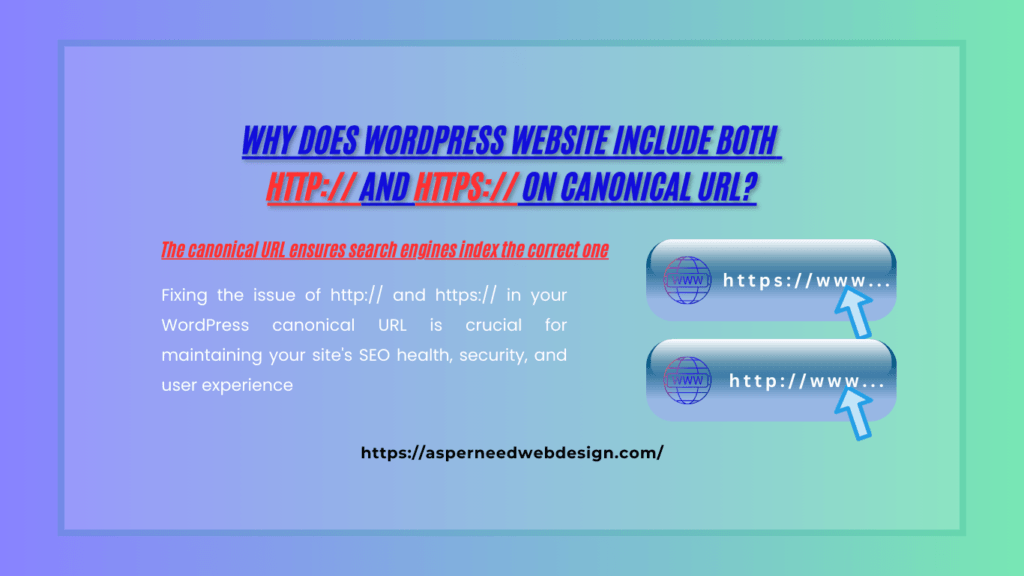
Encountering a mix of http:// and https:// in the canonical URL of your WordPress website can be puzzling. This issue can affect your site’s SEO, user experience, and overall credibility. In this article, we’ll explore the root causes of this problem, its potential impact, and the steps you can take to resolve it effectively. What is a Canonical URL? A canonical URL is an HTML tag used to tell search engines the preferred version of a web page. It helps avoid duplicate content issues by specifying the authoritative page when multiple versions of the same content exist. For example, if your site is accessible via both http:// and https://, the canonical URL ensures search engines index the correct one. However, when the canonical URL includes both http:// and https://, it signals a misconfiguration in your WordPress settings or hosting environment. Why Does This Problem Occur? The issue usually arises due to misconfigured settings, conflicts in plugins, or improper migration practices. Here are some common causes: Why Does This Matter? Having both http:// and https:// in your canonical URL can create several issues: How to Fix This Issue Follow these steps to resolve the issue: 1. Check WordPress URL Settings Go to Settings > General in your WordPress dashboard and ensure that: 2. Force HTTPS with .htaccess Add the following code to your .htaccess file to redirect all traffic to HTTPS: <IfModule mod_rewrite.c> RewriteEngine On RewriteCond %{HTTPS} off RewriteRule ^(.*)$ https://%{HTTP_HOST}/$1 [R=301,L] </IfModule> 3. Update Hardcoded URLs Search for hardcoded http:// URLs in your theme and plugin files. Replace them with https:// or relative URLs. You can use plugins like Better Search Replace to streamline this process. 4. Fix Mixed Content Issues Use tools like WhyNoPadlock or Chrome DevTools to identify insecure resources and update them to HTTPS. 5. Reconfigure Cache and CDN Settings Ensure your caching plugin (e.g., WP Rocket, W3 Total Cache) and CDN (e.g., Cloudflare) enforce HTTPS across all assets. Clear the cache after making changes. 6. Install an SSL Plugin Install and activate a plugin like Really Simple SSL to automate the process of enforcing HTTPS. 7. Test Your Website After making changes, test your site to confirm the issue is resolved: Final Thoughts Fixing the issue of http:// and https:// in your WordPress canonical URL is crucial for maintaining your site’s SEO health, security, and user experience. By addressing the root causes and implementing the solutions outlined above, you can ensure that your site adheres to best practices and performs optimally. Have you encountered this issue before? Share your experience in the comments below! And if you found this guide helpful, don’t forget to share it with others.
Choosing a Domain Name & Hosting: Key Steps for Website Success
When starting a website, the foundation of your online presence begins with two critical decisions: choosing the perfect domain name and selecting reliable hosting. These decisions influence your website’s visibility, performance, and user experience. In this guide, we’ll explore how to choose a domain name and hosting that aligns with your goals and set your website up for success. The Importance of Choosing the Right Domain Name A domain name is your website’s unique address on the internet, representing your brand and making it easy for users to find you. It’s more than just a name; it’s the first impression your audience will have of your website. Tips for Choosing the Perfect Domain Name Good Domain Name Examples Understanding Web Hosting and Its Role The service that maintains the files for your website and makes them available online is called web hosting. Choosing the right hosting provider ensures your website runs smoothly and remains accessible to visitors. Types of Web Hosting Step-by-Step Guide to Purchase a Domain and Hosting How to Choose the Right Hosting Provider With countless hosting options available, selecting the right one can be overwhelming. Here are the factors to consider: Choosing Domain Name and Hosting: The Perfect Pair Your domain name and hosting work hand in hand to establish your online presence. A memorable domain name attracts visitors, while reliable hosting ensures they have a seamless experience. For the best results: Conclusion Choosing a domain name and hosting is a pivotal step in building your website. A thoughtful approach ensures your site is memorable, accessible, and scalable. Follow these tips to create a solid foundation for your online presence and watch your website thrive. Start today by brainstorming domain names and researching hosting providers that match your needs. With the right choices, you’re well on your way to creating a successful website!
How to Build and Optimize a WordPress Website for Top Google Rankings
WordPress has become one of the most powerful platforms for building websites, trusted by millions worldwide. Its versatility, user-friendly interface, and extensive plugin ecosystem make it the go-to choice for beginners and experts. However, creating a WordPress website that is both user-friendly and SEO-optimized is essential for standing out in the competitive digital landscape. This guide will walk you through every step to design, optimize, and rank your WordPress website on Google’s first page. 1. Getting Started with WordPress Website Design Building a WordPress website starts with establishing a solid foundation. Choosing the right domain name and hosting provider ensures your website has the necessary performance and reliability. Proper installation and configuration of WordPress set the stage for a seamless website-building process. Choosing a Domain Name & Hosting Installing WordPress Before you can start designing your site, you need to install WordPress on your hosting account. This involves a few straightforward steps, especially if your hosting provider offers automated tools to streamline the process. 2. Designing Your WordPress Website from Scratch Designing a WordPress website requires selecting the right theme, customizing it to fit your brand, and enhancing its functionality with plugins. A thoughtful design approach ensures your website is visually appealing, user-friendly, and optimized for success. Choosing the Right Theme A theme determines your website’s layout, appearance, and functionality. Selecting the right theme is crucial for ensuring a seamless user experience and effective SEO performance. Customizing Your Theme Customizing your WordPress theme allows you to create a unique and branded website. Using WordPress Customizer, you can adjust visual elements, such as colors and fonts, to match your brand identity. Essential Plugins for Website Design Plugins add functionality to your WordPress website, making it more versatile and user-friendly. From design to performance, selecting the right plugins is essential for a professional website. Designing Key Pages Creating well-designed pages is vital for engaging your audience and achieving your website’s goals. Each page should have a clear structure and purpose to maximize user experience. 3. Creating High-Quality Content for Your WordPress Website Content is the backbone of your website. High-quality, engaging, and SEO-optimized content not only attracts visitors but also encourages them to stay and explore more. Incorporating multimedia elements further enhances the user experience. Writing Engaging Content Crafting engaging content involves understanding your audience’s needs and delivering value. Focus on providing actionable insights, unique perspectives, and solutions to their problems. Incorporating Multimedia Multimedia elements like images and videos make your content more appealing and easier to consume. Optimizing these files ensures they don’t slow down your website’s performance. 4. Optimizing Your WordPress Website for SEO For your WordPress website to receive organic traffic, search engine optimization, or SEO, is essential. Implementing on-page SEO techniques, optimizing for mobile, and improving speed are essential for better rankings. On-Page SEO On-page SEO focuses on optimizing individual pages to rank higher in search engines. It includes strategic keyword usage, meta optimization, and internal linking. Mobile Optimization With most users accessing websites on mobile devices, ensuring your site is mobile-friendly is non-negotiable. Both user experience and SEO rankings are improved by a mobile-friendly website. Speed Optimization A fast-loading website not only improves user experience but also boosts your SEO rankings. Optimizing speed involves reducing unnecessary elements and leveraging caching techniques. 5. Boosting User Experience (UX) on Your WordPress Website User experience (UX) is a key factor in retaining visitors and encouraging conversions. A well-designed website that’s easy to navigate and secure ensures a positive experience for your audience. Responsive Design Your website will adjust smoothly to various screen sizes due to responsive design. This improves usability and keeps visitors engaged regardless of the device they use. Navigation and Usability Users can find information more quickly using easy-to-use navigation. Clear labels and strategically placed CTAs guide visitors toward desired actions. Security Considerations Website security is vital for protecting user data and maintaining trust. Implementing the right measures reduces vulnerabilities and ensures your site’s integrity. 6. Ranking Your WordPress Website on Google’s First Page Getting your WordPress website to rank on Google’s first page requires a strategic approach. Focus on analytics, high-quality backlinks, and content strategies to build authority and visibility. Setting Up Google Analytics & Search Console Tracking your website’s performance is essential for identifying what works and what doesn’t. These tools provide valuable insights into user behavior and search engine visibility. Building High-Quality Backlinks Search engines are informed by backlinks that your website is reliable and authoritative. Earning quality backlinks involves consistent outreach and collaboration efforts. Local SEO Optimization (if relevant) For companies aiming to reach a particular geographic area, local SEO is crucial. Optimizing your Google My Business profile and encouraging reviews can boost visibility. Content Clusters & Pillar Content Strategy Organizing your content into clusters with pillar pages improves SEO and user experience. These comprehensive resources establish your website as an authority on specific topics. 7. Maintaining and Updating Your WordPress Website A successful website requires ongoing maintenance to stay secure, functional, and optimized. Regular updates and performance monitoring ensure your site continues to meet user expectations. Keeping Your WordPress Website Updated Staying up-to-date with the latest WordPress versions, themes, and plugins is crucial for security and compatibility. Ignoring updates can leave your site vulnerable. Regular Backups and Security Checks Backups and security checks provide peace of mind and protect your website from unexpected issues. Automating these tasks saves time and effort. Monitoring Website Performance Performance monitoring tools help you understand user behavior and identify areas for improvement. Analyzing metrics allows you to make data-driven decisions for better results. Final Thought Building and optimizing a WordPress website for top Google rankings is a comprehensive process that requires attention to detail, consistency, and ongoing maintenance. By following the steps outlined in this guide, you’ll create a website that not only attracts visitors but also keeps them engaged. Start implementing these strategies today, and watch your website climb the ranks on Google!
Best On-Page SEO Practices for High Rankings on Google (2025)
In the ever-evolving world of search engine optimization, on-page SEO remains a cornerstone for achieving higher rankings on Google. Whether you’re an experienced SEO expert or a beginner, this comprehensive guide will equip you with the most effective, best on-page SEO practices/strategies for 2025. Let’s dive in and uncover how you can optimize your website to attract both search engines and users. What Is On-Page SEO? On-page SEO refers to the practice of optimizing individual web pages to rank higher in search engine results pages (SERPs) and attract relevant traffic. Unlike off-page SEO, which focuses on external signals like backlinks, on-page SEO revolves around optimizing content, HTML source code, and website structure. Why Is On-Page SEO Important in 2025? Google’s algorithms are becoming increasingly sophisticated, prioritizing user intent, content quality, and site performance. Without solid on-page SEO, your website might struggle to appear in search results, regardless of how many backlinks you’ve built. Key Benefits of On-Page SEO: Best On-Page SEO Practices for 2025 1. Perform Comprehensive Keyword Research Targeting the right keywords is the foundation of on-page SEO. Use tools like as Ahrefs, SEMrush, or Google Keyword Planner to identify: For example, if your target keyword is “Google On-Page SEO Guide,” related keywords could include “SEO best practices for 2025” or “optimize web pages for Google.” 2. Craft SEO-Friendly Titles and Meta Descriptions Your title and meta description are the first things users see in search results. Make them count! Example: 3. Optimize Content for Search Intent Google prioritizes content that satisfies user intent. Create content that is: Focus on answering questions like: 4. Structure Your Content with Header Tags (H1-H6) Proper use of header tags not only improves readability but also helps search engines understand your content’s hierarchy. Example: H1: Best On-Page SEO Practices for High Rankings on Google (2025) H2: What Is On-Page SEO? H2: Why Is On-Page SEO Important in 2025? H3: Key Benefits of On-Page SEO 5. Write High-Quality, Original Content Google rewards content that is: Pro Tip: Incorporate visuals like infographics and videos to enrich your content and keep readers engaged. 6. Optimize Images and Multimedia Large, unoptimized images can slow down your site. Follow these tips: 7. Improve Page Loading Speed Page speed is a crucial ranking factor. Ensure your site loads quickly by: 8. Optimize for Mobile Users With mobile-first indexing, a responsive website is non-negotiable. Google’s Mobile-Friendly Test can help you make sure your website: 9. Enhance Internal Linking Internal links facilitate user and search engine navigation on your website. Best practices include: 10. Focus on User Engagement Metrics Google evaluates metrics like bounce rate, dwell time, and click-through rate (CTR). Enhance these by: Bonus Tips for On-Page SEO Success Final Thoughts Mastering on-page SEO in 2025 is all about creating valuable, user-focused content while adhering to technical best practices. By following these tips, you’ll not only improve your search rankings but also provide a seamless experience for your visitors. Ready to dominate Google’s search results? Put these on-page SEO tactics into practice right now, and see how your website ranks rise!
9 Best AI Tools for Web Development in 2025
In today’s fast-paced tech world, artificial intelligence (AI) is revolutionizing industries, and web development is no exception. From automating repetitive tasks to enhancing design and functionality, AI tools are empowering developers to build smarter, faster, and more efficient websites. If you’re a developer or business owner, leveraging these tools can take your web projects to the next level. Here, we present the 9 best AI tools for web development in 2025 that are reshaping the digital landscape. 1. ChatGPT (OpenAI) Best for: Code generation and debugging ChatGPT is an indispensable tool for developers. This AI-powered assistant helps you write and debug code in real-time, saving hours of frustration. Whether you need help with JavaScript, Python, or HTML, ChatGPT provides detailed explanations, fixes bugs, and even suggests optimizations for your code. Key Features: Why Choose It? ChatGPT is like having a coding mentor on demand, making it perfect for both beginners and seasoned developers. 2. Tabnine Best for: AI-driven code completion Tabnine integrates seamlessly into popular code editors like VS Code and IntelliJ IDEA, offering predictive code suggestions. It uses machine learning to analyze your coding patterns and provides smart auto-completions to speed up your workflow. Key Features: Why Choose It? Tabnine boosts productivity by reducing typing time and minimizing syntax errors. 3. Wix ADI Best for: Quick website creation without coding Wix’s Artificial Design Intelligence (ADI) is perfect for non-coders and small businesses. With just a few inputs about your preferences, Wix ADI generates a fully functional and visually appealing website tailored to your needs. Key Features: Why Choose It? It’s a time-saving solution for creating professional websites without hiring a developer. 4. Figma with AI Plugins Best for: AI-assisted design and prototyping Figma’s AI plugins, such as Magician and Spellbound, enhance the design experience by generating ideas, automating design tasks, and improving collaboration among team members. Key Features: Why Choose It? Figma’s AI tools make the design process more intuitive and efficient for UX/UI designers. 5. GitHub Copilot Best for: AI-driven coding assistance Developed by GitHub and OpenAI, GitHub Copilot serves as your AI-powered pair programmer. It provides contextually relevant code suggestions and helps you focus on solving problems rather than writing repetitive code. Key Features: Why Choose It? It’s a game-changer for developers who want to streamline coding tasks and improve accuracy. 6. Durable Best for: Building AI-powered business websites Durable is an AI website builder specifically designed for small businesses. It creates a fully functional website in less than a minute by simply asking a few questions about your business goals. Key Features: Why Choose It? Durable’s simplicity and speed make it ideal for entrepreneurs looking to establish an online presence quickly. 7. TensorFlow.js Best for: AI model integration into web applications TensorFlow.js enables developers to build and deploy machine learning models directly in the browser. This tool is great for creating interactive web applications with AI capabilities, such as recommendation systems or real-time image recognition. Key Features: Why Choose It? TensorFlow.js allows seamless integration of AI models into web applications without backend dependencies. 8. Adobe Firefly Best for: AI-generated visuals and web design assets Adobe Firefly is an AI-powered creative tool that helps developers generate high-quality images, icons, and graphics for websites. It’s a must-have for creating visually stunning designs without extensive manual effort. Key Features: Why Choose It? Firefly makes it easy to generate unique, professional visuals in minutes. 9. CodeWP Best for: AI-assisted WordPress development CodeWP is designed specifically for WordPress developers. This AI tool simplifies complex WordPress tasks, such as creating custom queries, shortcodes, and automation. Key Features: Why Choose It? CodeWP saves WordPress developers time and effort by automating repetitive tasks. Final Thoughts AI tools for web development are more than just a trend—they’re becoming essential for creating efficient, innovative, and user-friendly websites. By integrating these tools into your workflow, you can significantly improve productivity, creativity, and project outcomes. So, which of these tools will you try in 2025? Whether you’re a seasoned developer or just starting out, these AI-powered solutions are sure to elevate your web development game.
Ultimate Website Design Checklist: Key Steps to a Perfect Website

Designing a website can be overwhelming, especially if you’re striving to create one that’s visually appealing, functional, and optimized for performance. Whether you’re building a personal blog, e-commerce store, or business website, having a structured approach is crucial. Here’s a comprehensive website design checklist to ensure your website is a success: Here is The Website Design Checklist Infographic for your convenience 1. Define Your Website Goals Before starting your website design journey, define its primary objectives. Are you creating a personal blog to share your thoughts, a portfolio to showcase your skills, or an e-commerce platform to sell products? Identifying your target audience and understanding their needs will help guide your design choices and content strategy effectively. 2. Choose the Right Platform and Hosting Your website’s foundation depends on the platform and hosting provider you choose. WordPress is highly versatile, while Wix and Shopify cater to specific needs like design flexibility and online stores. Pair it with reliable hosting to ensure fast load times and 99.9% uptime. SSL certificates add an extra layer of trustworthiness. 3. Plan Your Website Structure A well-organized website structure ensures smooth navigation for users and search engines. Start by creating a sitemap that outlines the pages and categories of your site. This helps streamline your design and ensures all critical information is easily accessible. A logical navigation menu prevents visitors from feeling overwhelmed or lost. 4. Focus on Visual Design and Branding Your website’s visual appeal plays a significant role in capturing visitors’ attention. Use a consistent color scheme and typography that reflects your brand identity. Ensure your design is responsive to provide a seamless experience across devices. High-quality images, minimal clutter, and an aesthetically pleasing layout make a lasting impression. 5. Optimize for User Experience (UX) User experience is all about creating a website that’s intuitive and enjoyable to use. A fast-loading site enhances user satisfaction, while clear calls-to-action (CTAs) guide visitors toward your goals. Prioritize accessibility for people with disabilities by using appropriate contrast ratios, alt text, and keyboard navigability to ensure inclusivity. 6. SEO Optimization Search Engine Optimization (SEO) ensures your website is discoverable by your target audience. To find out what people are looking for, do in-depth keyword research. Optimize your website’s meta titles, descriptions, and headings with these keywords. Additionally, submit your XML sitemap to Google to help search engines crawl and index your pages. 7. Add Essential Pages Your website should include all essential pages to provide visitors with the information they need. The home page introduces your site, while the about page tells your story. Add a contact page to make it easy for users to reach out. Don’t forget legal pages like Privacy Policy for trustworthiness. 8. Integrate Important Plugins and Tools Plugins and tools enhance your website’s functionality without requiring complex coding. Use SEO plugins like Rank Math for search engine visibility, analytics tools for audience insights, and security plugins to safeguard your site. Backups ensure your data is safe, and caching plugins improve site performance by reducing load times. 9. Test and Optimize Before going live, thoroughly test your website to ensure it’s free from issues. Check compatibility across different browsers and devices, and use tools like Google PageSpeed Insights to analyze your site’s speed. Fix any broken links, optimize forms, and gather feedback from trusted sources to identify areas for improvement. 10. Launch and Post-Launch Maintenance Launching your website is just the beginning. Monitor its performance using analytics tools and make data-driven updates. Regularly update plugins, themes, and content to keep your site secure and relevant. Post fresh content to keep visitors engaged, and address any user feedback to enhance the overall experience. This expanded checklist ensures you cover all aspects of website design, from planning to post-launch maintenance. By following this website design checklist, you can ensure that your website is well-designed, functional, and optimized for success. Ready to design your dream website? Let’s get started!
Best WordPress Plugins for Blogs: Supercharge Your Website
If you’re a blogger, you already know how important it is to have a seamless, fast, and feature-rich website. WordPress, being one of the most versatile CMS platforms, offers thousands of plugins to elevate your blog’s performance, design, and functionality. However, choosing the right plugins can feel overwhelming. To save you time and effort, we’ve compiled a list of the best WordPress plugins for blogs that every blogger should consider. 1. Rank Math: Boost Your Blog’s SEO Search Engine Optimization (SEO) is the backbone of any successful blog. Rank Math makes SEO optimization easy with its intuitive setup wizard, keyword tracking, and advanced schema support. Whether you’re a beginner or a pro, this plugin helps you create SEO-friendly content that ranks. Key Features: Why It’s Perfect for Bloggers: It ensures your blog posts are optimized to appear on the first page of search engines, driving organic traffic to your site. 2. WP Rocket: Speed Up Your Blog Nobody likes a slow website, and WP Rocket is here to ensure your blog loads lightning fast. This premium caching plugin is known for its simplicity and effectiveness in reducing page load time. Key Features: Why It’s Perfect for Bloggers: A faster website leads to better user experience, lower bounce rates, and higher search engine rankings. 3. Elementor: Customize Your Blog Like a Pro Designing a blog doesn’t have to be difficult. With Elementor, you can create stunning blog layouts using its drag-and-drop interface. Even if you don’t have any coding skills, this plugin allows you to customize your site with ease. Key Features: Why It’s Perfect for Bloggers: It empowers bloggers to create visually appealing websites without hiring a developer. 4. MonsterInsights: Know Your Audience Understanding your audience is crucial for blog growth. MonsterInsights seamlessly integrates Google Analytics into your WordPress dashboard, giving you valuable insights into your readers’ behavior. Key Features: Why It’s Perfect for Bloggers: Knowing which posts perform best helps you create more content your readers love. 5. Smush: Optimize Your Images Images can slow down your blog if they aren’t optimized. Smush is a free plugin that compresses your images without compromising quality, ensuring your site stays fast and visually appealing. Key Features: Why It’s Perfect for Bloggers: It enhances your blog’s performance while ensuring your images look great. 6. UpdraftPlus: Protect Your Hard Work Imagine losing all your blog content due to a server crash or a hack. UpdraftPlus saves you from this nightmare by creating automatic backups of your site. Key Features: Why It’s Perfect for Bloggers: It ensures your content is safe and recoverable, no matter what happens. 7. Social Warfare: Increase Engagement with Sharing A great tool for blog promotion is social media. Social Warfare adds beautiful, customizable social sharing buttons to your blog, encouraging readers to share your content. Key Features: Why It’s Perfect for Bloggers: It helps your content reach a wider audience, driving more traffic to your site. 8. Wordfence Security: Keep Your Blog Safe With cyber threats on the rise, securing your blog should be a top priority. Wordfence is a powerful security plugin that protects your site from malware, brute-force attacks, and other vulnerabilities. Key Features: Why It’s Perfect for Bloggers: It gives you peace of mind knowing your blog is safe from hackers. 9. Jetpack: All-in-One Solution for Bloggers Jetpack is a multi-functional plugin that offers security, performance, and marketing tools. From spam protection to social sharing and site stats, Jetpack does it all. Key Features: Why It’s Perfect for Bloggers: It combines multiple essential tools into one plugin, saving you time and effort. 10. WPForms: Connect with Your Audience Do you want to add your blog with a contact form? WPForms makes it simple. This drag-and-drop form builder allows you to create beautiful, functional forms in minutes. Key Features: Why It’s Perfect for Bloggers: It helps you stay connected with your readers and collect feedback easily. Final Thoughts Using the right WordPress plugins can take your blog from average to extraordinary. Whether you want to boost SEO, improve speed, enhance security, or engage your audience, these plugins have you covered. Start by identifying your blog’s specific needs and choosing the plugins that align with your goals. Remember, while plugins can improve your blog’s performance and functionality, using too many can slow down your site. Stick to the essentials, and you’ll have a blog that’s optimized, secure, and reader-friendly.
Affordable WordPress Website Design: Build Your Dream Site Without Breaking the Bank
In the present digital era, having a website is now essential for professionals and enterprises. But for small businesses, startups, and freelancers, the idea of creating a website often comes with concerns about cost. The good news? Affordable WordPress website design offers a solution that combines quality, flexibility, and budget-friendliness. If you’re on a tight budget but still want a professional, functional, and visually appealing website, WordPress is the platform you’ve been searching for. Let’s dive into why WordPress is the ultimate choice for affordable website design and how you can maximize its potential without overspending. Why Choose WordPress for Affordable Website Design? How to Design an Affordable WordPress Website To make the most out of your budget, here are some tips and strategies for affordable WordPress website design: 1. Choose the Right Hosting Plan Web hosting is the foundation of your website. Many providers offer affordable plans specifically designed for WordPress. Look for hosting companies like Bluehost, Hostinger, or SiteGround that offer low-cost yet reliable services, often starting as low as $2.99/month. 2. Use Free or Budget-Friendly Themes While premium themes provide advanced features, there are many free themes available on the WordPress theme repository that look professional and are mobile-responsive. Some popular free themes include Hello Elementor, OceanWP, Astra, and Neve. 3. Leverage Free Plugins Avoid paying for premium plugins unless absolutely necessary. Free plugins like Yoast SEO, Contact Form 7, and WooCommerce (for online stores) can handle most functionalities you’ll need. 4. DIY Customization Save money by customizing your site yourself. WordPress’s drag-and-drop page builders like Elementor and SiteOrigin make it easy to create a personalized look without coding. 5. Optimize Images and Content High-quality images and SEO-optimized content improve your website’s performance and rankings. Use free tools like Canva for designing graphics and TinyPNG for compressing images without compromising quality. 6. Focus on Essential Pages When working on a budget, prioritize creating the most important pages first—such as the Home, About, Services, Blog, and Contact pages. You can always expand your website as your business grows. 7. Learn Basic SEO SEO can make or break your website’s visibility. Use tools like Rank Math or Yoast SEO to optimize your site’s on-page SEO. By targeting long-tail keywords like “affordable WordPress website design,” you can attract budget-conscious clients to your website. Common Mistakes to Avoid While creating an affordable WordPress website is achievable, you’ll want to avoid these pitfalls: Affordable Doesn’t Mean Low-Quality Creating a cost-effective website doesn’t mean compromising on quality. By choosing WordPress and following the strategies mentioned above, you can design a website that not only fits your budget but also meets modern web standards. Remember, the goal isn’t just to save money but to invest wisely in a website that represents your brand and attracts the right audience. Final Thoughts Affordable WordPress website design is within reach for anyone willing to explore the platform’s vast resources and features. By combining free tools, budget-friendly solutions, and a bit of creativity, you can create a stunning website that delivers results without costing a fortune. Are you ready to design your WordPress website? Start today and watch your online presence thrive without overspending!