
5 Best Free SEO Plugins for WordPress to Boost Traffic in 2025
If you’re running a WordPress site, you probably already know how important SEO is. Without proper optimization, your content might never reach the people searching for it. The good news is, you don’t need to be an SEO expert to get results. Thanks to free SEO plugins for WordPress, you can optimize your site, improve your visibility, and attract more visitors with just a few clicks. In this post, I’ll share the 5 best free SEO plugins for WordPress that you can start using today. Yoast SEO Yoast SEO is one of the most popular and trusted plugins for WordPress. It’s been around for years and is often the first choice for beginners. With Yoast, you get easy-to-follow suggestions on improving your content for search engines. Some features include: Even the free version has plenty of tools that can help you rank better without spending a dime. All in One SEO (AIOSEO) Another powerful plugin is All in One SEO. As the name suggests, it’s a complete SEO toolkit. The setup wizard makes it easy for anyone to get started, even without technical knowledge. Key features include: This plugin is perfect if you want something simple but effective for boosting your website’s visibility. Rank Math Rank Math is gaining popularity really fast, and for good reason. It offers a lot of premium-like features for free. Many users love it because of its clean interface and step-by-step setup. Rank Math includes: If you’re looking for something modern and lightweight, Rank Math is definitely worth trying. SEOPress SEOPress might not be as famous as Yoast, but it’s just as powerful. The free version covers all the essentials you need to optimize your site. With SEOPress, you can: It’s also very lightweight, so it won’t slow down your site. That’s a big plus for SEO since site speed matters a lot for rankings. Slim SEO If you want something minimal and easy, Slim SEO is a great choice. Unlike other plugins, it comes with automatic settings, so you don’t need to configure much. It just works right out of the box. Features include: Slim SEO is best for beginners who want simple optimization without dealing with too many options. FAQs About the Best Free SEO Plugins for WordPress Which free SEO plugin is best for beginners? Yoast SEO is the best choice for beginners because it provides easy-to-follow suggestions and a clear interface. Is Rank Math better than Yoast? Rank Math offers more advanced features in the free version, while Yoast is easier to use for beginners. It depends on your experience level and needs. Do I need more than one SEO plugin on WordPress? No, it’s not advised to install more than one SEO plugin at once. Installing multiple SEO plugins can cause conflicts and harm your site’s performance. Can free SEO plugins really help my site rank? Yes, free SEO plugins are powerful enough to improve your on-page SEO, generate sitemaps, and optimize content for search engines. Which SEO plugin is the lightest for performance? Slim SEO and SEOPress are very lightweight and won’t slow down your website. Do I need paid SEO plugins for better results? Not necessarily. Many free plugins like Rank Math, Yoast, and AIOSEO offer enough tools to optimize your site effectively. Paid versions are helpful if you want advanced features. Final Thoughts There you go—these are the 5 best free SEO plugins for WordPress that can help you boost your website’s rankings without paying for expensive tools. Whether you’re a beginner or an advanced user, each plugin has unique strengths. Pick the one that fits your needs best, install it, and start optimizing your site today. Over time, these plugins can make a big difference in your traffic and growth. 👉 You can also check out WordPress’s official plugin directory here: WordPress SEO Plugins
WordPress SEO Checklist 2025: Boost Rankings Fast
If you run a WordPress website in 2025, you already know how tough it is to rank on Google. With algorithm updates, AI-powered search, and more competition than ever, just writing good content isn’t enough. You need a clear WordPress SEO checklist 2025 to make sure your site is optimized for both users and search engines. The good news? You don’t need to be a technical expert to improve your rankings. With the right tools, plugins, and proven strategies, you can set up your WordPress site for success. In this guide, I’ll walk you through every essential SEO step for 2025, from setting up your site properly to optimizing content, speed, mobile usability, and more. Let’s dive in! Set Up the Right SEO Plugin The first step on your WordPress SEO checklist 2025 is installing a reliable SEO plugin. Plugins make it easier to handle titles, meta descriptions, sitemaps, and schema without coding. 👉 Pick one SEO plugin and stick to it. Don’t install multiple plugins for the same task because they may conflict and slow down your site. Optimize Site Speed and Core Web Vitals Google has made Core Web Vitals a major ranking factor, and in 2025, speed and user experience are more important than ever. A fast site not only improves rankings but also keeps visitors from bouncing. Mobile-Friendly Design Since most users browse on their phones, Google prioritizes mobile-first indexing. That means your site needs to look and work perfectly on mobile. If your site isn’t mobile-optimized, you’re losing out on traffic and rankings. Secure Your Site with HTTPS Security is part of SEO in 2025. Google wants users to feel safe, so if your site isn’t on HTTPS, it can hurt your rankings. A secure site also builds trust with your audience. read this article if you want to know Why Does WordPress Website Include Both http:// & https:// on Canonical URL? Keyword Research in 2025 SEO starts with choosing the right keywords. But keyword research in 2025 isn’t just about search volume. You also need to focus on search intent. For example, instead of just “WordPress SEO,” target keywords like “WordPress SEO checklist 2025” or “best WordPress SEO plugins 2025.” Optimize Titles and Meta Descriptions Your title tag and meta description are the first things people see on Google. Make them clear, relevant, and clickable. Example:Title: WordPress SEO Checklist 2025: Boost Rankings FastMeta: Discover the ultimate WordPress SEO checklist 2025 to boost your rankings fast. On-Page SEO Optimization Your content must be optimized for both users and search engines. Follow these on-page SEO tips: 👉 Example: If you’re writing about SEO, link to Google’s official SEO Starter Guide. Create High-Quality, Engaging Content In 2025, Google rewards helpful content. You can’t just stuff keywords anymore. Instead, focus on content that solves problems and keeps readers engaged. Remember: quality beats quantity. Use Schema Markup Schema helps search engines understand your content better. It can also help you appear in rich snippets (like FAQs, star ratings, and how-to boxes). Rich snippets can boost your CTR and make your listing stand out. Build a Strong Internal Linking Structure Internal links connect your content together and help Google crawl your site. This improves both SEO and user experience. Backlinks Still Matter Even in 2025, backlinks are a huge ranking factor. But the focus is now on quality over quantity. One good backlink from a high-authority site is worth more than 100 low-quality links. Optimize Images for SEO Images play a big role in SEO, but they need optimization. Well-optimized images can also rank in Google Image Search. Monitor SEO Performance Finally, SEO isn’t a one-time thing. You need to track your results and make adjustments. Regular monitoring helps you spot problems early and stay ahead of competitors. FAQs about WordPress SEO Checklist 2025 What is the best SEO plugin for WordPress in 2025? Rank Math and Yoast SEO are the top choices, but Rank Math offers more advanced features for free. How important is site speed for SEO in 2025? Very important. A slow site can hurt both rankings and user experience. Google uses Core Web Vitals as a ranking factor. Do I need backlinks to rank my WordPress site? Yes, backlinks are still a major factor. Focus on high-quality, relevant links instead of spamming low-quality ones. How often should I update my WordPress SEO checklist? At least once a year, since Google updates its algorithm regularly. What’s the best keyword strategy for 2025? Target long-tail keywords that match search intent, not just high-volume terms. Is WordPress good for SEO? Yes, WordPress is one of the best platforms for SEO if optimized correctly with plugins and proper settings. Conclusion Following this WordPress SEO checklist 2025 will give your site a strong foundation to climb the search rankings. From choosing the right SEO plugin and optimizing speed to creating high-quality content and building backlinks, every step matters. SEO is a long-term game. You won’t see results overnight, but if you consistently apply these strategies, you’ll notice better visibility, more traffic, and higher rankings. Now it’s your turn: go through this checklist step by step and start optimizing your WordPress site today!
How to Improve WordPress Site Speed
A slow website is frustrating not only for visitors but also for search engines. If your WordPress site takes forever to load, people will leave before even exploring your content. That means fewer conversions, less traffic, and a drop in rankings. The good news? You don’t need to be a tech genius to make your site faster. With the right tweaks, tools, and best practices, you can dramatically improve loading times. In this complete guide, I’ll walk you through how to improve WordPress site speed step by step. We’ll cover everything from choosing the right hosting to optimizing images and using caching plugins. By the end, your site will be running faster, smoother, and ready to impress both users and Google. Why WordPress Site Speed Matters Website speed goes beyond technology. It affects every part of your online presence: In short, improving your site speed is an investment that pays off in traffic, rankings, and revenue. Choose a Fast and Reliable Hosting Provider Your hosting service is the backbone of your website. No matter how much you optimize, if your server is slow, your site will still drag. Tips for Better Hosting A quality hosting provider can cut your loading times in half without much extra work on your end. Use a Lightweight WordPress Theme Themes play a big role in site performance. Some themes are bloated with unnecessary features, slowing down your site. What to Look for in a Theme A lean theme ensures your site runs smoothly without dragging extra baggage. Optimize Your Images Image files are usually the largest on a website. If they’re not optimized, they can slow your site dramatically. Image Optimization Tips Optimized images keep your site looking sharp while speeding up performance. Install a Caching Plugin Caching is one of the simplest ways to speed up your site. It stores a static version of your pages so visitors don’t have to reload everything from scratch each time. Best Caching Plugins for WordPress With caching enabled, your pages can load up to 3x faster. Use a Content Delivery Network (CDN) A CDN helps deliver your content faster by storing copies of your website across multiple servers worldwide. When someone visits your site, the CDN loads it from the nearest server. Popular CDNs If you have a global audience, a CDN is a must for faster performance. Minify CSS, JavaScript, and HTML Every piece of code on your site adds up. By minifying (removing unnecessary spaces, comments, and characters), you can reduce file sizes and boost speed. How to Minify Files This small step can make a noticeable difference in page load times. Limit Plugins and Clean Up Your Database Too many plugins slow down your WordPress site. Some may even conflict with each other and hurt performance. Plugin & Database Cleanup Tips Keeping your WordPress site lean ensures smooth performance. Enable GZIP Compression GZIP compression reduces the size of your website files before sending them to a browser. This helps pages load faster without affecting quality. Most caching plugins and hosts allow you to enable GZIP with just one click. You can check if GZIP is working using free online tools like Check GZIP Compression. Keep WordPress, Themes, and Plugins Updated Outdated software not only poses security risks but also slows down your site. Developers release updates to improve performance and fix bugs. Always make sure: If you don’t need a plugin anymore, delete it instead of leaving it inactive. Comparison of Best Tools to Improve WordPress Site Speed To make things easier, here’s a quick comparison of popular tools and services you can use to boost your WordPress speed. Category Tool/Service Best For Approximate Pricing Pros Cons Hosting SiteGround Beginners & small businesses From $2.99/mo Reliable, beginner-friendly, fast servers Renewal costs are higher Hosting Kinsta High-traffic & professional sites From $35/mo Premium performance, 24/7 support, Google Cloud More expensive Hosting WP Engine Enterprises & agencies From $20/mo Scalable, secure, managed hosting Pricey for small sites Caching Plugins WP Rocket Beginners & advanced users $59/year Easy setup, built-in optimization tools Paid only Caching Plugins W3 Total Cache Free solution Free Widely used, lots of settings Can be tricky for beginners Caching Plugins LiteSpeed Cache Users with LiteSpeed servers Free Very fast, CDN support Requires LiteSpeed hosting Image Optimization ShortPixel Automated compression Free + Paid WebP support, bulk optimization Free plan is limited Image Optimization Imagify Easy-to-use solution Free + Paid One-click setup, integrates with WP Rocket Quota limits on free plan Image Optimization TinyPNG Manual compression Free + Paid Great for individual images No bulk automation in free plan CDN Cloudflare All website sizes Free + Paid Free plan available, strong security Setup can confuse beginners CDN StackPath Business sites From $10/mo Fast performance, reliable uptime Paid only CDN KeyCDN Developers & advanced users Pay-as-you-go Affordable, scalable Not as beginner-friendly FAQs about How to Improve WordPress Site Speed Why is my WordPress site so slow? Your site could be slow due to poor hosting, unoptimized images, too many plugins, or lack of caching. What is the ideal loading speed for a WordPress site? Aim for under 3 seconds. Anything slower risks losing visitors and rankings. Do free caching plugins work? Yes, free options like W3 Total Cache and LiteSpeed Cache work well, though premium plugins offer extra features. Is a CDN necessary for small websites? Not always, but if you have international visitors, a CDN can improve speed globally. Can changing a theme improve site speed? Yes, switching to a lightweight theme can significantly boost performance. How often should I optimize my database? Every few weeks is enough, depending on how frequently you update your site. Conclusion Improving your WordPress site speed isn’t rocket science—it’s about making small but smart changes that add up. From choosing the right host to optimizing images, using caching, and cleaning up your site, every step helps your website load faster. When your site is fast, users are happy, search engines reward you, and conversions increase. Now that
10 Proven Ways to Choose Keywords for SEO (2025)
If you’ve ever wondered why some websites effortlessly climb to the top of search results while others struggle to gain visibility, the secret often lies in choosing the right keywords for SEO. Keywords are the essential elements of any digital marketing strategy. They connect what people are searching for with the content you create. Without them, even the most well-written content risks being invisible. Keyword research has advanced beyond word matching in 2025. Search engines are smarter, prioritizing user intent, relevance, and context over sheer keyword stuffing. This means businesses and content creators must understand not only how to choose keywords for SEO, but also how to apply them strategically to stay competitive. The good news? Whether you’re a beginner looking to understand the basics or a marketer aiming to refine your strategy, this guide will walk you through 10 proven ways to choose keywords for SEO success. From understanding search intent to leveraging powerful tools like Google Keyword Plannerarn actionable steps that help you attract the right audience and achieve sustainable growth. By the end of this article, you’ll have a clear framework for keyword research, a toolkit of resources, and a step-by-step plan to put your SEO efforts on the fast track. Ready to transform your content visibility? Let’s dive in. How to Choose Keywords for SEO Why Keywords Still Matter in 2025 Despite the rise of artificial intelligence, voice search, and semantic search, keywords remain the cornerstone of SEO. Think of them as the bridges between your audience’s needs and your content. When users type or speak queries into Google, they’re essentially handing you their intentions on a silver platter. Your job is to decode those intentions and align them with the right keywords. In 2025, Google’s algorithms prioritize context over raw keyword repetition. This means it’s not about stuffing the same phrase into your content dozens of times. Instead, it’s about strategically placing relevant keywords in your titles, meta descriptions, headings, and body copy. More importantly, it’s about making sure your content genuinely satisfies what the searcher is looking for. Consider an example: if someone searches for “best running shoes for flat feet”, they’re not just looking for generic shoe recommendations. They want tailored advice. By targeting this long-tail keyword, you not only reduce competition but also capture a highly motivated audience that’s closer to making a purchase. That’s the impact of selecting the right keywords. Understanding Search Intent When it comes to keyword selection, search intent is everything. Search engines today are incredibly adept at interpreting what users really mean, even if their query isn’t perfectly worded. As a content creator or business owner, your success hinges on understanding the four main types of search intent: By aligning your keywords with the right type of intent, you ensure that your content doesn’t just show up in search results—it resonates with the audience and compels them to engage. The real magic happens when you combine keyword relevance, search volume, and intent into one cohesive strategy. For instance, targeting informational queries can bring awareness, while transactional keywords can directly generate revenue. In other words, your keyword strategy should map directly to your customer journey. Conducting Keyword Research Using Free Tools (Google Keyword Planner, Ubersuggest, etc.) One of the most accessible ways to start keyword research is by leveraging free tools. These platforms provide valuable insights into how users search online without requiring an upfront investment. Free tools are perfect for small businesses, bloggers, and beginners. They help you uncover quick wins and test strategies before moving on to advanced platforms. click here for more free SEO analysis Tools- https://test.asperneedwebdesign.com/7-best-free-seo-analysis-tools-in-2025/ Paid Tools for Deeper Insights (SEMrush, Ahrefs, etc.) As your SEO strategy matures, investing in paid keyword research tools becomes essential. These platforms provide in-depth data that free tools simply can’t match. Paid tools don’t just give you keywords; they give you competitive intelligence. By analyzing what your competitors rank for, you can uncover gaps in their strategy and position your content to win. In short, free tools are great for discovering keyword opportunities, while paid tools provide the precision and depth needed to dominate competitive markets. Successful SEO often blends both. What Are Some Effective Tools for Keyword Research? Choosing the right tools can make or break your keyword research process. With dozens of platforms on the market, it’s important to understand which ones deliver real value. Some are simple, free-to-use tools for beginners, while others are advanced platforms designed for professional marketers. Here are some of the most effective tools for keyword research in 2025. Free Tools for Beginners Free keyword research tools are perfect for those just starting out. They give you a basic understanding of what people are searching for and how competitive those terms are. These tools are free, but they can provide surprising insights into what your target audience is searching for. They’re especially useful for bloggers, small businesses, and startups with limited budgets. Advanced Tools for Professionals For businesses and SEO professionals, investing in advanced keyword research tools is often worth it. These platforms provide not just keyword data, but also competitor insights, SERP analysis, and advanced filtering options. While these tools come at a cost, they offer a deeper layer of analysis that can save you months of trial and error. For brands in competitive industries, they’re an investment that pays off through better keyword targeting and faster results. In short, the best tool for you depends on your budget, experience level, and goals. Beginners may find free tools sufficient, but professionals and businesses that want to dominate the SERPs will benefit from premium solutions. What Factors Should I Consider When Choosing a Tool for Keyword Research? With so many keyword research tools available today, it’s easy to feel overwhelmed. Not every tool suits every business, and choosing the wrong one can waste both time and money. Before committing to a platform, you should evaluate it against specific factors that ensure it aligns with your SEO strategy and business
7 Best Free SEO Analysis Tools in 2025
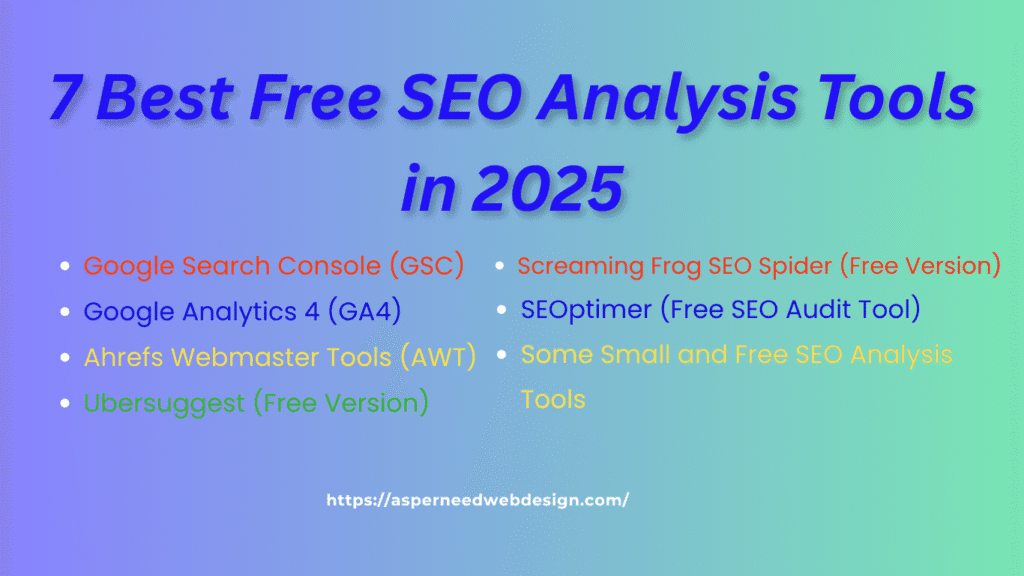
Over the years of working in SEO, I’ve learned one thing—tools don’t have to be expensive to be effective. Many free SEO analysis tools are so powerful that they can help you identify technical issues, track rankings, and improve your website’s performance without spending a single rupee. In this blog, I’m sharing the best free SEO analysis tools I personally use in 2025, along with how they can help you grow your website. 1. Google Search Console (GSC) In Best Free SEO analysis tools list, this is my first recommendation for every website owner. Google Search Console is completely free and shows you how your site performs in Google Search. You can check which keywords bring traffic, see indexing issues, monitor clicks, impressions, and fix technical errors. 👉 Why I use it: 2. Google Analytics 4 (GA4) While GSC shows search performance, Google Analytics shows how users behave once they land on your website. You can track traffic, user engagement, bounce rate, and conversions. 👉 Why I use it: 3. Ahrefs Webmaster Tools (AWT) If you want backlink analysis without paying, Ahrefs Webmaster Tools is a hidden gem. You can connect your site and check for backlinks, organic keywords, and technical issues. 👉 Why I use it: 4. Ubersuggest (Free Version) Neil Patel’s Ubersuggest is another beginner-friendly tool. In the free version, you can do keyword research, track rankings, and analyze competitors (with some daily limits). 👉 Why I use it: 5. Screaming Frog SEO Spider (Free Version) If you want to analyze your website like a pro, Screaming Frog is the tool. The free version crawls up to 500 URLs, checking for broken links, duplicate titles, missing meta descriptions, and more. 👉 Why I use it: 6. SEOptimer (Free SEO Audit Tool) SEOptimer gives a quick SEO audit for any page. Just enter your URL, and it shows you on-page issues, meta tag problems, mobile friendliness, and more. 👉 Why I use it: 7. Other Small But Best SEO Analysis Tools This is a collection of multiple free tools like plagiarism checker, keyword position checker, and backlink checker. It’s simple and handy for quick checks. 👉 Why I use it: Final Thoughts You don’t always need expensive software to do good SEO. These free SEO analysis tools are more than enough to start, whether you’re managing your own site or working for clients. The key is not just using the tools but taking action on the data they provide. Test them, track results, and keep improving your website. 👉 Your turn: Which free SEO tool is your favorite in 2025? Share it in the comments—I’d love to know!
Why Google AI Mode is Better Than Other AI Platforms

Over the past few months, I’ve been testing different AI platforms for my work and personal use. From my experience, Google AI Mode stands out for its speed, accuracy, and simplicity. It’s built right into Google Search, so I don’t need extra apps or logins. Unlike other AI tools, it combines real-time information with trusted sources, which makes it far more reliable. In this article, I’m sharing the main reasons why I personally think Google AI Mode is better than other AI platforms, based on my own use and daily workflow. 1. Easy Access Without Extra Setup In my experience, one big reason Google AI Mode is better is how easy it is to access. I don’t need to download any separate app or sign up for another account. It works directly in Google Search, which I already use daily. Compared to other AI platforms that need logins, subscriptions, or special apps, AI Mode is ready to use instantly. This convenience makes me use it more often, especially when I’m in a hurry and want quick answers without switching between tools. 2. Real-Time and Updated Information One thing I’ve noticed is that many AI tools work on old datasets. They can’t always give the latest updates. But with Google AI Mode, I get information pulled from live search results. For example, if I search for the latest AI updates or tech launches, it gives fresh details. I’ve tested this many times, and the answers are current and accurate. This real-time capability makes AI Mode more reliable for me than other AI platforms, which often miss breaking news or fresh content. 3. Trusted Sources for Answers From my work in SEO, I know how important source credibility is. Google AI Mode summarizes answers from trusted, high-quality websites. I’ve seen it link directly to reliable sources, which is something I appreciate. Many other AI tools don’t always show where the information comes from, making it harder to trust their responses. AI Mode, on the other hand, gives me confidence because I know the data is backed by real, verified websites. This transparency is a big reason I prefer using it over others. 4. Completely Free to Use In my daily work, I often test different AI tools. Most of them limit usage unless I pay for a subscription. Google AI Mode is free for everyone, which is a huge benefit. I don’t have to worry about usage limits or monthly charges. This makes it easy to experiment with AI in my work and personal projects without cost concerns. I’ve even recommended it to clients who want AI support but don’t want to spend money. This affordability makes Google AI Mode a winner for me. 5. Seamless Integration With Search I love how it’s fits naturally into the search experience. I don’t have to leave the search results page to see the AI summary. It appears right there, alongside the usual results. This integration makes it quick and efficient. I’ve noticed that when I use other AI tools, I have to switch between the chatbot and my browser, which slows me down. With Google AI Mode, everything is in one place, making my workflow faster and smoother. 6. Visual Search Power With Google Lens As someone who works a lot with visual content, I find Google AI Mode’s camera search feature amazing. I can take a photo of a product, landmark, or even a document and get AI-powered results instantly. Most other AI platforms are text-only. They don’t offer this kind of integrated visual search. I’ve used this feature for design references, identifying objects, and even finding similar products online. It’s another reason why I feel Google AI Mode stands out in practical, everyday use. 7. Fast and Simple Responses I value speed in my work. When I use Google AI Mode, the answers appear almost instantly on the search page. I don’t have to wait for long paragraphs to be typed out, which I’ve noticed with some AI chatbots. It saves time, especially when I need quick information. The summaries are short, clear, and easy to understand. This efficiency helps me work faster, and it’s one of the main reasons I keep coming back to Google AI Mode instead of switching to other platforms. 8. Relevant Suggestions and Follow-Ups One thing I really appreciate about Google’s this feature is the follow-up questions it suggests. After giving me a summary, it shows related queries I might want to explore. This feels natural, almost like a conversation. Other AI tools don’t always guide me toward the next step in my search. I’ve found this feature useful in research, content writing, and even SEO keyword exploration. It helps me discover related topics I might have missed, which adds more value compared to other platforms. 9. Familiar Interface With No Learning Curve I’ve tested many AI tools, and some have complicated interfaces that take time to learn. Google AI Mode is built into the search interface I already know well. There’s no extra learning needed. I just type my query and read the AI summary. This simplicity is a huge advantage, especially for non-technical users. I’ve recommended it to clients, and they’ve been able to use it without any guidance. This user-friendliness is another reason why it’s my go-to AI tool. 10. Support for SEO and Website Traffic As an SEO expert, I was initially worried AI Mode might reduce website traffic. But I’ve noticed that Google AI Mode includes source links in its answers. This means well-optimized and helpful content still gets clicks. Compared to other AI tools that don’t credit sources, Google AI Mode feels more supportive of creators and publishers. I see it as a tool that can work alongside SEO, rather than replace it, which makes it better for my professional work. 11. Continuous Updates and Improvements One reason I trust Google AI Mode more is the way Google keeps updating it. I’ve seen changes in accuracy, design, and features over
What Is Google AI Mode? A Simple Guide to Its Features and Real Power

Google is bringing artificial intelligence directly into our everyday search experience, and Google AI Mode is at the center of this change. If you’re curious about how to turn it on, whether it’s launched in India, or how it compares to other tools, I’ve explained everything here in simple words. What is Google AI Mode? This is a feature that uses artificial intelligence to make Google Search smarter. Instead of showing only regular search results, it provides AI-generated answers, summaries, and follow-up questions. It’s part of Google’s Search Generative Experience (SGE), where the search results are more direct, easy to understand, and tailored to your needs. How Do I Turn On Google AI Mode? Right now, Google AI Mode is available through Search Labs in certain countries. Here’s how you can enable it if it’s available in your region: (Note: If you don’t see the option, it might not be available in your country yet.) Has Google Launched AI Mode in India? As of now, Google AI Mode is still in testing phase and is not officially available for all users in India. Some users may get early access through a new feature. Google usually rolls out AI features in phases, so this new feature could be available in India soon. How to Use – Once AI Mode is enabled: Google AI Mode in India While AI Mode isn’t fully launched in India yet, Google has already expanded some AI-powered features here, like AI overviews for select queries. Full rollout is expected soon. Businesses and content creators in India should start preparing content that fits AI-driven search, as this will help in ranking when the update arrives. Google AI Mode Ads Google has confirmed that ads will still appear in AI search results. However, they will be clearly marked as “Sponsored.” This means AI Mode won’t remove ads; instead, ads may appear within or alongside AI summaries. Google AI Mode Tab Google is also experimenting with a separate “AI” tab in search results. This could make it easier to switch between traditional search results and AI-generated results. Google AI Mode Camera Search Expansion AI Mode is not limited to text searches. Google is also expanding camera-based searches (through Google Lens) to work with this new feature. For example, you can take a photo of a product, landmark, or document, and it will provide instant information or summaries. Global Launch Of This Feature The global launch of this feature is happening in stages. It first rolled out in the U.S. and a few other countries. The India launch date is not confirmed yet, but early access is expected later this year. Google Artificial Intelligence Mode Referral Traffic There has been discussion about whether AI summaries will reduce referral traffic to websites. While AI Mode shows more information upfront, it also includes links to sources, so high-quality, helpful content still has a strong chance to get clicks. How This AI Feature Works Google AI Mode uses: It’s designed to make search results faster, clearer, and more relevant. Google AI Mode vs Other AI (10 Key Points) Here’s how Google AI Mode compares to other AI tools in simple terms: 1. Direct Integration with Search Google AI Mode is built right into Google Search. There’s no need to download another app or create a separate account. It works instantly with the same search bar you already use daily, making it much easier to access compared to other AI tools. 2. Real-Time Data Unlike many AI tools that work on older, pre-trained data, Google AI Mode fetches information live from the internet. This means you always get the most recent and updated answers. It keeps your search results fresh, relevant, and timely, which is a big advantage. 3. Trusted Sources Google AI Mode pulls its information from credible and verified websites. This ensures the summaries you see are accurate and trustworthy. Many AI tools don’t always mention where they got the data from, which can make their answers less reliable compared to Google’s AI Mode. 4. Ads Integration Google AI Mode will include ads within AI results, clearly marked as sponsored. This is part of Google’s business model. Other AI tools may be ad-free but usually charge for access. Google’s approach allows free usage while still showing ads in a transparent way. 5. User-Friendly Google AI Mode works exactly like regular Google Search. You don’t need technical skills or special training to use it. You simply type your question, and the AI summary appears. Other AI tools might require learning a new platform or interface before you can use them well. 6. Visual Search One of Google AI Mode’s biggest strengths is camera search through Google Lens. You can take a photo and instantly get AI-powered results. Most other AI tools are text-based and don’t support such visual search capabilities, making Google AI Mode far more versatile in everyday use. 7. Fast Response Google AI Mode gives you instant answers within the search results page. You don’t need to wait for a chatbot to type out long responses. It saves time by summarizing information quickly. Other AI tools may take longer or require more interaction before you get the full answer. 8. Free to Use Google AI Mode is free for everyone. You don’t need to pay a subscription or buy credits to use it. Many AI tools offer only limited free access, then ask for payment. Google’s free availability makes it accessible to a much larger number of users. 9. SEO Impact Even though Google AI Mode shows summaries, it still links to source websites. This means it can drive traffic to good, helpful content. Many other AI tools give answers without linking to the sources, which reduces website referral traffic. Google AI Mode supports site owners better in this way. 10. Continuous Updates Google is constantly improving AI Mode, adding new features and expanding availability. This makes it more reliable and powerful over time. Many AI tools don’t get updates as
7 Best SEO Techniques for Lead Generation

From my own experience in digital marketing, I’ve learned that in today’s digital-first world, generating high-quality leads is one of the most critical factors for business growth. Many people see SEO only as a way to improve Google rankings, but in my projects, its real impact came when I used it to attract the right audience—people who were actively searching for my clients’ products, services, or solutions. If your goal is to turn website visitors into leads, this guide for the best SEO techniques for lead generation will show you exactly how to use SEO strategies that work. 1. Focus on Intent-Based Keywords To generate quality leads, prioritize understanding the user’s intent—what they’re truly looking to achieve with their search. It’s not just about volume; it’s about relevance. For example, someone typing “best invoicing software for freelancers” is likely closer to making a decision than someone searching “how to send an invoice.” These kinds of keywords often show that the person is at a stage where they’re either comparing options or ready to make a purchase. Quick Tip: Use keyword research tools like Ubersuggest, SEMrush, or Google Keyword Planner to discover high-intent search terms that match your offering. 2. Create Content That Solves Problems People turn to search engines with specific questions and pain points. If your content directly addresses those needs, you’re not only increasing visibility—you’re building trust. ✅ How-to articles✅ Guides and tutorials✅ Checklists✅ Real-world case studies Problem-solving content builds your authority and gently moves the visitor toward becoming a lead. 3. Internal Linking = Smart Navigation Internal links act as a roadmap through your website. They guide users from one relevant page to another, helping them discover more of your content while increasing their time on site. When done strategically, internal linking doesn’t just improve SEO—it boosts user experience and nudges visitors toward high-converting pages like services, contact forms, or lead magnets. 4. Make Your Site Mobile-Friendly With more than half of online traffic coming from mobile devices, your website must look and perform great on every screen size. Use a responsive design, avoid small fonts or buttons, and ensure all content loads cleanly without frustrating users. 📱 Mobile optimization isn’t just a feature—it’s a lead-generation necessity. 5. Page Speed Is Lead Speed A slow-loading site often results in lost opportunities. Website visitors won’t wait—they’ll bounce. Enhance your website’s speed by compressing large images, cleaning up unnecessary code, and enabling browser caching so repeat visitors can load pages faster. Tools like GTmetrix, Google PageSpeed Insights, and Lighthouse can help you diagnose and fix speed issues. 6. Use Lead Magnets A lead magnet is something valuable you offer at no cost to get a visitor’s contact details—such as an ebook, checklist, or free tool. Make sure your lead magnets directly align with the page topic and support your primary service or business goal. For instance, a free SEO audit makes sense on a digital marketing page but not on a fashion blog. Strategically place lead magnets throughout your website using popups, sidebars, or inline offers. 7. Track Everything If you’re not tracking your SEO efforts, you’re flying blind. You need data to know what’s working and what’s not. Tools like Google Analytics, Search Console, and Hotjar give you insights into what’s driving traffic, which pages convert well, and where users drop off. Use this data to improve and refine your content and layout continuously. Other Powerful SEO Strategies for Lead Generation Now that we’ve covered the basics, here are some next-level tactics to give you an edge over the competition. 1. Use Local SEO (Even If You’re Online) Even fully digital businesses can benefit from optimizing for local search. Ranking for keywords like “best content writer in Bangalore” or “SEO consultant near me” gives you visibility among nearby customers. ✅ Claim and fully optimize your Google Business listing✅ Use city- or region-specific keywords.✅ Get featured on local directories and websites 2. Build Quality Backlinks Earning backlinks from trustworthy websites tells search engines your content is reliable, helping you build authority and rank higher. Try guest blogging, publishing original research, or creating visual content like infographics that others naturally want to reference and link to. 3. Add Live Chat or Chatbots A visitor might have questions that stop them from converting—and if they can’t find answers quickly, they may leave. Adding live chat or chatbots gives real-time support, improves engagement, and allows you to capture leads 24/7. Many bots can also segment leads based on behavior and route them to your sales team or email list. 4. Use Video Content Including video on your website helps keep visitors engaged, encourages longer browsing, and improves the chances of conversion. Use videos to: Bonus: Videos also rank on YouTube and Google, expanding your visibility. 5. A/B Test Your Pages Small tweaks can lead to big improvements. Test different versions of your landing pages, CTAs, headlines, images, or forms to see what performs best. Use tools like Google Optimize or Optimizely to set up simple A/B tests that uncover what resonates most with your audience. 6. Offer Lead Magnets (Yes, Again!) We said it before and we’ll say it again—lead magnets work. The key is to make them: When paired with well-placed CTAs and clear value propositions, lead magnets can become one of your best-performing SEO tools. Final Thoughts SEO isn’t just about getting more eyes on your site—it’s about bringing in the right people and moving them toward action. When you align your content with user intent, improve the overall user experience, and implement smart SEO techniques like video content, internal linking, local optimization, and lead magnets, you create a site that not only ranks—but converts. Start small, track everything, and make continuous improvements. The leads will follow.
How to Add Global Custom Fields in WordPress

Are you managing a WordPress website and tired of entering the same content again and again on multiple pages? That’s where global custom fields come in handy. With the right plugin, you can easily create custom fields that work across your entire website — saving time and keeping everything consistent. In this article we will try to discuss all the essential points to add global custom fields in WordPress. In this guide, you’ll learn: Let’s get started! What Are Global Custom Fields in WordPress? Global custom fields are reusable pieces of content that you can use across your website. For example: Instead of updating these details on every page, you can edit them once, and the changes reflect sitewide. This is very useful for business websites, portfolio sites, blogs, and even WooCommerce stores. Why Use a Plugin for Global Custom Fields? Manually adding global custom fields with code can be complicated and risky, especially if you’re not a developer. A WordPress plugin makes it super easy — no coding, no confusion. Here’s why plugins are a better choice: Best Plugin to Add Global Custom Fields in WordPress There are many plugins available, but one of the most popular and reliable plugins is: 🔹 Advanced Custom Fields (ACF) ACF allows you to create custom fields and display them anywhere on your site. With the Pro version, you can also create options pages — perfect for global custom fields. How to Add Global Custom Fields in WordPress (Step-by-Step) Here’s how to add global custom fields using the ACF plugin: ✅ Step 1: Install & Activate the ACF Plugin ✅ Step 2: Create a Global Options Page (Pro version) ✅ Step 3: Add Your Global Custom Fields ✅ Step 4: Display Custom Fields in Your Theme Use Cases for Global Custom Fields Here are some smart ways to use global fields: Use Case Example Header/Topbar Info Phone, email, business hours Footer Area Social links, address Banners & CTA Messages Promo code, offers, custom messages Contact Pages Reusable form titles or info FAQ – Add Global Custom Fields WordPress Plugin ❓ Do I need coding knowledge to use ACF? No, ACF is beginner-friendly. You can create and use fields without touching code. For more advanced placement, basic knowledge helps. ❓ Is ACF free? Yes, the core ACF plugin is free. But for global options pages, you need the Pro version. ❓ Will it work with my theme? Yes! ACF works with almost all popular WordPress themes and page builders. Final Thoughts If you want to manage site-wide content more easily, using a WordPress plugin to add global custom fields is a smart move. Plugins like ACF Pro can help you keep your site consistent, save time, and simplify updates. So, stop updating the same info on every page manually. Switch to global custom fields and let your plugin do the hard work. 👉 Ready to try it out? Install the ACF plugin today and give your site a more professional and efficient structure.
Best WordPress Plugin to Clean Up Old Themes
Is your WordPress website cluttered with old themes you don’t even use anymore? You’re not alone. Many website owners forget about the unused themes sitting in their dashboard, taking up space and even causing security issues. If you’re wondering what’s the best WordPress plugin to clean up old themes, this blog has the answer – simple, clear, and right to the point. Why You Should Remove Old WordPress Themes Before jumping into the plugin, here’s why it’s important to clean up old themes: Best WordPress Plugin to Clean Up Old Themes 🔧 WP-Optimize WP-Optimize is one of the most trusted plugins to help clean and optimize your WordPress site – and yes, it helps manage old themes too. Key Features: Why It’s the Best: How to Use WP-Optimize to Clean Up Old Themes ✅ Tip: Always keep one default WordPress theme (like Twenty Twenty-Four) as a backup. Other Helpful Plugins (Optional) If WP Reset doesn’t fit your needs, here are a few other plugins that can help clean up your WordPress site: Plugin Name What It Does Advanced WordPress Reset eliminates outdated themes and plugins and quickly resets your website. WP-Optimize removes unnecessary files, optimizes your database, and compresses images. WP-Sweep Deletes unused data like revisions, spam, and orphaned metadata Media Cleaner Removes unused media files and broken entries from your media library Each of these plugins has its strengths. For theme cleanup specifically, WP Reset and Advanced WordPress Reset are the most direct options. Final Thoughts Cleaning up your old WordPress themes isn’t just about being organized – it’s about speed, safety, and peace of mind. And using the best WordPress plugin to clean up old themes, like WP-Optimize, makes the job easy even for beginners. FAQs Q. Is it safe to delete old themes? Yes, as long as they’re not your active theme or your default fallback theme. Q. Should I back up before deleting themes? Definitely, before making any changes, always make a backup of your website. Q. Will deleting old themes improve site speed? It can help reduce load time slightly, especially if themes are loading background files or causing conflicts. Q: Will deleting themes break my site? Not if you delete only inactive themes. Your active theme must remain untouched. If you unintentionally remove your active theme, WordPress will attempt to use the default theme. Q: Can I delete themes manually without a plugin? Yes. Go to Appearance → Themes → Click on the theme you want to delete → Click “Delete” in the bottom-right corner. But using a plugin is faster and safer, especially if you have many themes. Q: What’s the difference between WP Reset and WP-Optimize? The main goal of WP Reset is to reset and purify site data, plugins, and themes. WP-Optimize focuses more on performance improvement and database cleansing. They work well together. Q: How often should I clean up old themes? It depends on how often you test new themes. If you’re a developer or designer, do it monthly. For regular users, once every few months is enough.