
10 Common WordPress SEO Mistakes You Should Avoid
When it comes to growing a website, SEO is everything. But even if you’re using WordPress — one of the most SEO-friendly platforms — small mistakes can seriously damage your rankings. The good news? Most of these issues are easy to fix once you know what they are. In this post, we’ll go through the most common WordPress SEO mistakes that site owners make and how you can avoid them to keep your website ranking high on Google. 1. Ignoring SEO Plugins One of the biggest SEO mistakes beginners make is not using an SEO plugin. Tools like Yoast SEO or Rank Math make it super easy to optimize your content, meta titles, and descriptions. Without a plugin, you might forget to set important SEO tags or miss optimization opportunities. These tools also help you create XML sitemaps, manage breadcrumbs, and analyze content readability — all important ranking factors. Fix it: Install a reliable SEO plugin and configure it properly. If you’re not sure which one to choose, start with Rank Math — it’s beginner-friendly and powerful. 2. Not Setting Up Permalinks Properly WordPress automatically sets URLs like this:www.example.com/?p=123 — and that’s a big SEO mistake. Search engines and users prefer clean URLs that describe the page content, like:www.example.com/wordpress-seo-mistakes Fix it: Go to Settings → Permalinks, and select the Post Name option. This makes your URLs short, clear, and keyword-friendly. 3. Skipping Keyword Research Writing content without proper keyword research is like shooting in the dark. You may think you know what your audience wants, but search data often tells a different story. Fix it: Use tools like Google Keyword Planner, Ahrefs, or Ubersuggest to find keywords with good search volume and low competition. Always target one primary keyword (like “common WordPress SEO mistakes”) and a few related terms. 4. Forgetting to Optimize Meta Titles and Descriptions Search engines use your meta title and description to understand what your page is about. If you skip them, Google might pick random text from your content — and that’s rarely good for clicks. Fix it: Add unique, keyword-rich titles and descriptions for each post or page. Keep titles under 60 characters and descriptions under 160. Make them catchy and relevant to attract clicks. 5. Not Using Proper Heading Tags (H1, H2, H3) Another common WordPress SEO mistake is misusing heading tags or not using them at all.Headings make your content structured and easier to read — both for users and search engines. Fix it: 6. Ignoring Image Optimization Big, unoptimized images can slow down your website — and Google hates slow sites. Plus, many forget to add alt text, which helps search engines understand what an image is about. Fix it: 7. Overlooking Mobile Optimization Today, most traffic comes from mobile devices. If your WordPress site isn’t mobile-friendly, you’ll lose visitors and rankings fast. Fix it: 8. Ignoring Site Speed Speed is not just about user experience — it’s a major SEO ranking factor. A slow website leads to high bounce rates and lower conversions. Fix it: 9. Not Submitting Your Sitemap to Google Your sitemap tells Google about all the pages on your site. Without it, search engines might miss important pages. Fix it: 10. Not Updating Old Content Outdated information or broken links can hurt your SEO over time. Google prefers fresh, accurate content. Fix it: Bonus Tip: Not Using Internal and External Links Internal links help Google understand your site’s structure, and external links (to credible sources like Moz) boost your authority. Fix it: Always link to related blog posts on your site, and occasionally to trusted external websites. It’s good for SEO and user experience. Final Thoughts Avoiding these common WordPress SEO mistakes can instantly improve your website’s visibility and traffic. SEO is a continuous effort rather than a one-time setup. Keep learning, optimizing, and tracking your performance in Google Search Console. When you fix these errors, your WordPress site will load faster, rank higher, and attract the audience you’ve been aiming for. FAQs What is the biggest WordPress SEO mistake beginners make? Skipping SEO plugins and keyword research are the most common beginner mistakes. Can I fix SEO issues on WordPress myself? Yes! With the right plugins and basic SEO knowledge, you can easily fix most problems without coding. How often should I update my WordPress content? Try to review and update key posts every 3–6 months for the best results. Do images affect SEO rankings? Absolutely. Unoptimized images slow down your site, which can lower your ranking. Which is better: Yoast SEO or Rank Math? Both are great, but Rank Math offers more free features and is easier for beginners.Why is my WordPress site not ranking on Google? It could be due to technical issues, poor content optimization, or a lack of backlinks. Use Google Search Console to find and fix issues.
Yoast SEO vs RankMath 2025: Which Plugin Wins?
When it comes to optimizing your WordPress website for search engines, two names always stand out — Yoast SEO and RankMath. Both are incredibly popular, powerful, and widely used. But in 2025, with new updates and AI-driven features, which plugin truly deserves the crown? Let’s dive deep into a detailed comparison of Yoast SEO vs RankMath 2025, covering everything from setup to features, pricing, and performance. Overview: Yoast SEO vs RankMath 2025 Both Yoast SEO and RankMath help you optimize your site content for better visibility on Google. They analyze your content, suggest improvements, and help you manage technical SEO tasks. But they differ in approach and functionality. In 2025, both plugins have evolved significantly, introducing AI writing tools, schema generators, and faster performance. Ease of Use and Setup When you first install a plugin, the onboarding experience matters. Verdict: RankMath wins for a smoother, faster, and more visually appealing setup process. Features Comparison Yoast SEO and RankMath Here’s a breakdown of what both plugins offer in 2025: Feature Yoast SEO RankMath Focus Keyword Optimization ✅ Yes ✅ Yes Multiple Keywords (Free) ❌ No ✅ Yes Schema Markup ✅ Basic ✅ Advanced & Automatic AI Content Analysis ✅ Limited ✅ Full AI Assistant Redirect Manager ✅ Paid ✅ Free Internal Linking Suggestions ✅ Paid ✅ Free Local SEO ✅ Paid ✅ Free Module WooCommerce SEO ✅ Paid ✅ Free Module Integration with Search Console ✅ Yes ✅ Yes 404 Monitor ❌ No ✅ Yes Verdict: RankMath offers more features for free, while Yoast locks several useful tools behind the premium version. Content Optimization and AI Tools Both plugins now use AI for smarter content optimization. If you’re a blogger or content marketer who writes regularly, RankMath’s AI assistant can save hours. Verdict: RankMath leads again with more advanced AI-driven features in 2025. Performance and Speed SEO plugins shouldn’t slow down your site. In 2025 tests, both plugins performed well, but RankMath proved to be slightly lighter and faster. It uses modular architecture, so you can disable features you don’t use — reducing load times. Yoast, while stable, includes some background processes that might affect large sites with heavy content. Verdict: RankMath is more performance-friendly and flexible. Pricing and Value for Money Pricing can make or break your choice, especially for small businesses. For agencies or freelancers, RankMath offers even better deals. Verdict: RankMath clearly gives more value for your money. Customer Support and Community Both plugins have large communities and documentation. RankMath’s team is very active and often pushes updates faster based on user feedback. Verdict: RankMath edges out Yoast in customer support and responsiveness. Which One Should You Choose in 2025? If you’re running a personal blog or prefer simplicity, Yoast SEO is still an excellent choice — stable, trustworthy, and straightforward. However, if you want more control, better AI tools, faster performance, and value for money, RankMath 2025 is the clear winner. Most users migrating from Yoast to RankMath report smoother workflows, better content scoring, and improved page speed. Final Verdict: 🏆 RankMath wins the Yoast SEO vs RankMath 2025 battle. Discover more Top 10 Free SEO Tools to Elevate Your Strategy Frequently Asked Questions Is RankMath better than Yoast in 2025? Yes, RankMath offers more free features, AI tools, and faster performance, making it better for most users in 2025. Does RankMath work well with WooCommerce? Absolutely. RankMath includes built-in WooCommerce SEO tools for free, unlike Yoast which charges extra. Will switching from Yoast to RankMath affect my SEO? No, RankMath includes an easy migration tool that transfers your Yoast settings safely without hurting rankings. Is Yoast still worth using in 2025? Yes, if you prefer simplicity and reliability, Yoast remains a great choice — especially for beginners. Can I use both Yoast and RankMath together? No, you should only use one SEO plugin at a time to avoid conflicts and duplicate meta tags. Does RankMath have AI writing features? Yes, RankMath’s Content AI helps generate SEO titles, meta descriptions, and FAQs directly inside WordPress. Conclusion In the showdown of Yoast SEO vs RankMath 2025, both plugins bring something valuable to the table.Yoast shines in reliability and simplicity, while RankMath dominates with innovation, features, and affordability. If you’re serious about taking your SEO strategy to the next level this year, RankMath 2025 is the smarter choice. It’s faster, smarter, and more future-ready for AI-powered SEO. For more information, you can visit the official RankMath website or Yoast SEO’s official page.
5 Quick Ways For WordPress Sitemap Setup to Get Indexed Fast
If you want your WordPress site to rank higher on Google, doing a proper WordPress sitemap setup is one of the first things you should do. A sitemap helps search engines like Google understand your website’s structure, find all your pages, and index them properly. Without a sitemap, some of your pages might never show up in search results. In this guide, we’ll walk you through how to create and submit your WordPress sitemap setup easily, even if you’re not tech-savvy. What Is a Sitemap in WordPress? A sitemap is basically a file that lists all the important pages on your website. It tells search engines what to crawl and what’s important. For WordPress sites, this file is usually in XML format, which means it’s designed for search engines, not humans. Think of it like a roadmap of your website — it helps Google navigate your content efficiently. WordPress automatically generates a basic sitemap, but you can also use plugins for more control and features. Why You Need a Sitemap for SEO Having a sitemap doesn’t guarantee top rankings, but it’s essential for better indexing. Here’s why it’s so helpful: So, whether you run a blog, a business site, or an online store, a sitemap is a must for proper SEO setup. How to Create a Sitemap in WordPress There are a few easy ways to create a sitemap. Let’s look at the most common ones. Using WordPress Default Sitemap If you’re using WordPress 5.5 or later, your site already has a basic sitemap.Just type this in your browser:https://yourdomain.com/wp-sitemap.xmlReplace “yourdomain.com” with your actual site name.This is your default sitemap, but it’s pretty basic and doesn’t offer much customization. Using an SEO Plugin (Recommended) The easiest and most popular way is through a plugin.Here are the best options: Each of these plugins gives you more flexibility than the default option and is perfect for optimizing your WordPress sitemap setup. How to Submit Your Sitemap to Google Once your sitemap is ready, it’s time to submit it to Google Search Console.Here’s how to do it: That’s it! Google will now start crawling your website and index your pages faster. You can also check for errors or see when Google last crawled your site. Tips for Maintaining a Healthy Sitemap A well-maintained sitemap means better SEO performance and fewer indexing issues. Final Thoughts Doing a WordPress sitemap setup is one of the easiest yet most important SEO tasks for any website owner. It ensures your site gets properly indexed and helps your valuable content reach the right audience faster. Whether you use the built-in feature or a plugin like Yoast or Rank Math, make sure your sitemap is clean, up to date, and submitted to Google Search Console. Once done, your SEO journey will be off to a strong start. FAQs About WordPress Sitemap Setup What is the best sitemap plugin for WordPress? Yoast SEO and Rank Math are the most popular plugins for creating sitemaps. Both are easy to use and provide great SEO features along with sitemap management. Does anyone need a sitemap if their site is small?It’s true that having a sitemap helps even small websites. It helps Google discover your pages faster and ensures none of your content is missed. How often should I update my sitemap? You should update your sitemap every time you add or remove pages, blog posts, or major site sections. Most plugins update it automatically. Can we have multiple sitemaps on our site? Yes. Large sites with thousands of pages may use multiple sitemaps, grouped in a sitemap index file, which helps Google handle the data efficiently. How long does it take for Google to index my sitemap?The duration may range from a few hours to several days. Submitting your sitemap through Google Search Console helps speed up the process. Do I need to submit my sitemap to Bing or Yahoo too? Yes, it’s a good idea. You can submit your sitemap to Bing Webmaster Tools as well, and it’ll automatically share the data with Yahoo.
WordPress On-Page SEO Tips You Can Apply Today
If you’re running a website on WordPress, you’ve probably heard the term SEO more times than you can count. But when it comes to actually applying on-page SEO tips, many beginners feel stuck. The good news is that you don’t need to be an expert to make your WordPress site SEO-friendly. With just a few simple steps, you can boost your visibility in search engines and start getting more traffic. Let’s go over some easy but effective WordPress on-page SEO tips you can start using today. Optimize Your Titles and Meta Descriptions Your title and meta description are the first things people see in search results. A clear, keyword-rich title helps Google understand your page, and an engaging meta description convinces users to click. For example, instead of using a vague title like “My Blog Post,” use something like “10 WordPress On-Page SEO Tips for Beginners.” This way, you’re telling both search engines and readers exactly what the page is about. Plugins like Yoast SEO or Rank Math make it super easy to edit your title and description for every post. Use Header Tags Properly (H1, H2, H3…) Headings are not just for design; they help organize your content. The main title should always be in H1, and subtopics should use H2 or H3. For example: This helps both Google and your readers quickly understand your content’s structure. Improve Your URL Structure Nobody likes long, messy URLs filled with numbers and symbols. Instead, keep your URLs short, clean, and keyword-focused. Bad URL: www.yoursite.com/?p=123Good URL: www.yoursite.com/wordpress-on-page-seo-tips You can set this up easily in WordPress Settings → Permalinks. Add Internal Links Internal linking is one of the simplest yet most powerful SEO strategies. When you link to other relevant posts on your website, you help users stay longer and give search engines more context about your content. For example, if you’re writing about SEO, you can link to another blog post about “Best SEO Plugins for WordPress.” Optimize Images with Alt Text Images are great for engaging readers, but search engines can’t “see” them. That’s where alt text comes in. Adding descriptive alt text to your images helps Google understand what they’re about. Instead of writing “image123.jpg,” write “WordPress SEO plugin settings screenshot.” This also improves accessibility for users with screen readers. Focus on Content Quality At the end of the day, SEO is not just about keywords. It’s about providing real value. Write content that solves problems, answers questions, and keeps readers engaged. Make sure your keyword appears naturally in the first 100 words, headings, and a few times throughout the article — but don’t overdo it. Improve Website Speed A slow website can ruin your SEO. Use tools like Google PageSpeed Insights to test your site speed. Compress images, use a caching plugin like WP Rocket, and choose a reliable hosting provider. Fast websites rank better and keep visitors happy. Make Your Site Mobile-Friendly Most people browse on their phones, so a mobile-friendly design is no longer optional. Thankfully, most WordPress themes today are responsive, but it’s always good to double-check using Google’s Mobile-Friendly Test. Frequently Asked Questions About WordPress On-Page SEO Tips What is on-page SEO in WordPress? On-page SEO in WordPress refers to optimizing individual posts and pages so search engines can understand them better. It includes titles, headings, meta descriptions, URLs, images, and content quality. Do I need a plugin for WordPress SEO? While it’s not required, plugins like Yoast SEO or Rank Math make things much easier. They guide you through optimization steps, like adding meta descriptions, checking keyword usage, and setting up sitemaps. How many keywords should I use per page? It’s best to focus on one main keyword per page and sprinkle in a few related terms. Don’t stuff your article with keywords; instead, make them fit naturally into your content. How long does it take to see results from on-page SEO? SEO takes time. For most websites, you can start seeing improvements in 2–3 months, but big results often take 6 months or more. The key is consistency. Final Thoughts Applying these WordPress on-page SEO tips doesn’t take much time, but the results can be long-lasting. Start small: optimize your titles, fix your URLs, and add some internal links. Over time, as you keep improving your content and site structure, you’ll notice better rankings and more organic traffic. SEO is a marathon, not a sprint. Stay consistent, keep learning, and your WordPress site will thank you.
Evolution of Search Engine Algorithms: Why Ranking Factors Became More Complex
In the early days of SEO, ranking on search engines was much easier than it is today. Basic signals like keyword frequency, meta tags, and backlinks determined visibility. While effective initially, these ranking factors were also easy to manipulate. Webmasters exploited tactics like keyword stuffing, link farming, and cloaking to artificially boost rankings. This manipulation created a poor user experience, and search engines quickly realized the need to adapt. To protect search quality, they introduced more complex search engine algorithms designed to evaluate websites beyond simple tricks. Why Early Ranking Factors Failed Early search engine optimization focused on simple signals that didn’t always reflect quality or relevance. Some common manipulative tactics included: These methods distorted search results and reduced trust in search engines like Google, Yahoo, and Bing. Evolution of Search Engine Algorithms To overcome these challenges, search engines evolved their algorithms and introduced advanced ranking signals. Instead of only considering keywords and backlinks, algorithms began factoring in: This shift in SEO ranking factors made algorithms more resilient against manipulation, rewarding websites that genuinely provide value. Major Google Algorithm Updates That Changed SEO The history of Google algorithm updates shows how search evolved to prioritize quality: These updates represent the evolution of SEO from keyword manipulation to complex ranking algorithms that focus on trust, authority, and user intent. What This Means for SEO Today Modern SEO is less about tricks and more about long-term strategies. To align with evolving algorithms, webmasters should: By embracing these practices, websites can adapt to future Google updates and maintain strong rankings. Conclusion The evolution of search engine algorithms was a necessary step to prevent manipulation and ensure reliable results. Search engines now consider complex ranking factors like user experience, security, authority, and AI-driven signals. For webmasters, the lesson is clear: SEO success today comes from creating value, not gaming the system.
5 Best Free SEO Plugins for WordPress to Boost Traffic in 2025
If you’re running a WordPress site, you probably already know how important SEO is. Without proper optimization, your content might never reach the people searching for it. The good news is, you don’t need to be an SEO expert to get results. Thanks to free SEO plugins for WordPress, you can optimize your site, improve your visibility, and attract more visitors with just a few clicks. In this post, I’ll share the 5 best free SEO plugins for WordPress that you can start using today. Yoast SEO Yoast SEO is one of the most popular and trusted plugins for WordPress. It’s been around for years and is often the first choice for beginners. With Yoast, you get easy-to-follow suggestions on improving your content for search engines. Some features include: Even the free version has plenty of tools that can help you rank better without spending a dime. All in One SEO (AIOSEO) Another powerful plugin is All in One SEO. As the name suggests, it’s a complete SEO toolkit. The setup wizard makes it easy for anyone to get started, even without technical knowledge. Key features include: This plugin is perfect if you want something simple but effective for boosting your website’s visibility. Rank Math Rank Math is gaining popularity really fast, and for good reason. It offers a lot of premium-like features for free. Many users love it because of its clean interface and step-by-step setup. Rank Math includes: If you’re looking for something modern and lightweight, Rank Math is definitely worth trying. SEOPress SEOPress might not be as famous as Yoast, but it’s just as powerful. The free version covers all the essentials you need to optimize your site. With SEOPress, you can: It’s also very lightweight, so it won’t slow down your site. That’s a big plus for SEO since site speed matters a lot for rankings. Slim SEO If you want something minimal and easy, Slim SEO is a great choice. Unlike other plugins, it comes with automatic settings, so you don’t need to configure much. It just works right out of the box. Features include: Slim SEO is best for beginners who want simple optimization without dealing with too many options. FAQs About the Best Free SEO Plugins for WordPress Which free SEO plugin is best for beginners? Yoast SEO is the best choice for beginners because it provides easy-to-follow suggestions and a clear interface. Is Rank Math better than Yoast? Rank Math offers more advanced features in the free version, while Yoast is easier to use for beginners. It depends on your experience level and needs. Do I need more than one SEO plugin on WordPress? No, it’s not advised to install more than one SEO plugin at once. Installing multiple SEO plugins can cause conflicts and harm your site’s performance. Can free SEO plugins really help my site rank? Yes, free SEO plugins are powerful enough to improve your on-page SEO, generate sitemaps, and optimize content for search engines. Which SEO plugin is the lightest for performance? Slim SEO and SEOPress are very lightweight and won’t slow down your website. Do I need paid SEO plugins for better results? Not necessarily. Many free plugins like Rank Math, Yoast, and AIOSEO offer enough tools to optimize your site effectively. Paid versions are helpful if you want advanced features. Final Thoughts There you go—these are the 5 best free SEO plugins for WordPress that can help you boost your website’s rankings without paying for expensive tools. Whether you’re a beginner or an advanced user, each plugin has unique strengths. Pick the one that fits your needs best, install it, and start optimizing your site today. Over time, these plugins can make a big difference in your traffic and growth. 👉 You can also check out WordPress’s official plugin directory here: WordPress SEO Plugins
WordPress SEO Checklist 2025: Boost Rankings Fast
If you run a WordPress website in 2025, you already know how tough it is to rank on Google. With algorithm updates, AI-powered search, and more competition than ever, just writing good content isn’t enough. You need a clear WordPress SEO checklist 2025 to make sure your site is optimized for both users and search engines. The good news? You don’t need to be a technical expert to improve your rankings. With the right tools, plugins, and proven strategies, you can set up your WordPress site for success. In this guide, I’ll walk you through every essential SEO step for 2025, from setting up your site properly to optimizing content, speed, mobile usability, and more. Let’s dive in! Set Up the Right SEO Plugin The first step on your WordPress SEO checklist 2025 is installing a reliable SEO plugin. Plugins make it easier to handle titles, meta descriptions, sitemaps, and schema without coding. 👉 Pick one SEO plugin and stick to it. Don’t install multiple plugins for the same task because they may conflict and slow down your site. Optimize Site Speed and Core Web Vitals Google has made Core Web Vitals a major ranking factor, and in 2025, speed and user experience are more important than ever. A fast site not only improves rankings but also keeps visitors from bouncing. Mobile-Friendly Design Since most users browse on their phones, Google prioritizes mobile-first indexing. That means your site needs to look and work perfectly on mobile. If your site isn’t mobile-optimized, you’re losing out on traffic and rankings. Secure Your Site with HTTPS Security is part of SEO in 2025. Google wants users to feel safe, so if your site isn’t on HTTPS, it can hurt your rankings. A secure site also builds trust with your audience. read this article if you want to know Why Does WordPress Website Include Both http:// & https:// on Canonical URL? Keyword Research in 2025 SEO starts with choosing the right keywords. But keyword research in 2025 isn’t just about search volume. You also need to focus on search intent. For example, instead of just “WordPress SEO,” target keywords like “WordPress SEO checklist 2025” or “best WordPress SEO plugins 2025.” Optimize Titles and Meta Descriptions Your title tag and meta description are the first things people see on Google. Make them clear, relevant, and clickable. Example:Title: WordPress SEO Checklist 2025: Boost Rankings FastMeta: Discover the ultimate WordPress SEO checklist 2025 to boost your rankings fast. On-Page SEO Optimization Your content must be optimized for both users and search engines. Follow these on-page SEO tips: 👉 Example: If you’re writing about SEO, link to Google’s official SEO Starter Guide. Create High-Quality, Engaging Content In 2025, Google rewards helpful content. You can’t just stuff keywords anymore. Instead, focus on content that solves problems and keeps readers engaged. Remember: quality beats quantity. Use Schema Markup Schema helps search engines understand your content better. It can also help you appear in rich snippets (like FAQs, star ratings, and how-to boxes). Rich snippets can boost your CTR and make your listing stand out. Build a Strong Internal Linking Structure Internal links connect your content together and help Google crawl your site. This improves both SEO and user experience. Backlinks Still Matter Even in 2025, backlinks are a huge ranking factor. But the focus is now on quality over quantity. One good backlink from a high-authority site is worth more than 100 low-quality links. Optimize Images for SEO Images play a big role in SEO, but they need optimization. Well-optimized images can also rank in Google Image Search. Monitor SEO Performance Finally, SEO isn’t a one-time thing. You need to track your results and make adjustments. Regular monitoring helps you spot problems early and stay ahead of competitors. FAQs about WordPress SEO Checklist 2025 What is the best SEO plugin for WordPress in 2025? Rank Math and Yoast SEO are the top choices, but Rank Math offers more advanced features for free. How important is site speed for SEO in 2025? Very important. A slow site can hurt both rankings and user experience. Google uses Core Web Vitals as a ranking factor. Do I need backlinks to rank my WordPress site? Yes, backlinks are still a major factor. Focus on high-quality, relevant links instead of spamming low-quality ones. How often should I update my WordPress SEO checklist? At least once a year, since Google updates its algorithm regularly. What’s the best keyword strategy for 2025? Target long-tail keywords that match search intent, not just high-volume terms. Is WordPress good for SEO? Yes, WordPress is one of the best platforms for SEO if optimized correctly with plugins and proper settings. Conclusion Following this WordPress SEO checklist 2025 will give your site a strong foundation to climb the search rankings. From choosing the right SEO plugin and optimizing speed to creating high-quality content and building backlinks, every step matters. SEO is a long-term game. You won’t see results overnight, but if you consistently apply these strategies, you’ll notice better visibility, more traffic, and higher rankings. Now it’s your turn: go through this checklist step by step and start optimizing your WordPress site today!
7 Best SEO Techniques for Lead Generation

From my own experience in digital marketing, I’ve learned that in today’s digital-first world, generating high-quality leads is one of the most critical factors for business growth. Many people see SEO only as a way to improve Google rankings, but in my projects, its real impact came when I used it to attract the right audience—people who were actively searching for my clients’ products, services, or solutions. If your goal is to turn website visitors into leads, this guide for the best SEO techniques for lead generation will show you exactly how to use SEO strategies that work. 1. Focus on Intent-Based Keywords To generate quality leads, prioritize understanding the user’s intent—what they’re truly looking to achieve with their search. It’s not just about volume; it’s about relevance. For example, someone typing “best invoicing software for freelancers” is likely closer to making a decision than someone searching “how to send an invoice.” These kinds of keywords often show that the person is at a stage where they’re either comparing options or ready to make a purchase. Quick Tip: Use keyword research tools like Ubersuggest, SEMrush, or Google Keyword Planner to discover high-intent search terms that match your offering. 2. Create Content That Solves Problems People turn to search engines with specific questions and pain points. If your content directly addresses those needs, you’re not only increasing visibility—you’re building trust. ✅ How-to articles✅ Guides and tutorials✅ Checklists✅ Real-world case studies Problem-solving content builds your authority and gently moves the visitor toward becoming a lead. 3. Internal Linking = Smart Navigation Internal links act as a roadmap through your website. They guide users from one relevant page to another, helping them discover more of your content while increasing their time on site. When done strategically, internal linking doesn’t just improve SEO—it boosts user experience and nudges visitors toward high-converting pages like services, contact forms, or lead magnets. 4. Make Your Site Mobile-Friendly With more than half of online traffic coming from mobile devices, your website must look and perform great on every screen size. Use a responsive design, avoid small fonts or buttons, and ensure all content loads cleanly without frustrating users. 📱 Mobile optimization isn’t just a feature—it’s a lead-generation necessity. 5. Page Speed Is Lead Speed A slow-loading site often results in lost opportunities. Website visitors won’t wait—they’ll bounce. Enhance your website’s speed by compressing large images, cleaning up unnecessary code, and enabling browser caching so repeat visitors can load pages faster. Tools like GTmetrix, Google PageSpeed Insights, and Lighthouse can help you diagnose and fix speed issues. 6. Use Lead Magnets A lead magnet is something valuable you offer at no cost to get a visitor’s contact details—such as an ebook, checklist, or free tool. Make sure your lead magnets directly align with the page topic and support your primary service or business goal. For instance, a free SEO audit makes sense on a digital marketing page but not on a fashion blog. Strategically place lead magnets throughout your website using popups, sidebars, or inline offers. 7. Track Everything If you’re not tracking your SEO efforts, you’re flying blind. You need data to know what’s working and what’s not. Tools like Google Analytics, Search Console, and Hotjar give you insights into what’s driving traffic, which pages convert well, and where users drop off. Use this data to improve and refine your content and layout continuously. Other Powerful SEO Strategies for Lead Generation Now that we’ve covered the basics, here are some next-level tactics to give you an edge over the competition. 1. Use Local SEO (Even If You’re Online) Even fully digital businesses can benefit from optimizing for local search. Ranking for keywords like “best content writer in Bangalore” or “SEO consultant near me” gives you visibility among nearby customers. ✅ Claim and fully optimize your Google Business listing✅ Use city- or region-specific keywords.✅ Get featured on local directories and websites 2. Build Quality Backlinks Earning backlinks from trustworthy websites tells search engines your content is reliable, helping you build authority and rank higher. Try guest blogging, publishing original research, or creating visual content like infographics that others naturally want to reference and link to. 3. Add Live Chat or Chatbots A visitor might have questions that stop them from converting—and if they can’t find answers quickly, they may leave. Adding live chat or chatbots gives real-time support, improves engagement, and allows you to capture leads 24/7. Many bots can also segment leads based on behavior and route them to your sales team or email list. 4. Use Video Content Including video on your website helps keep visitors engaged, encourages longer browsing, and improves the chances of conversion. Use videos to: Bonus: Videos also rank on YouTube and Google, expanding your visibility. 5. A/B Test Your Pages Small tweaks can lead to big improvements. Test different versions of your landing pages, CTAs, headlines, images, or forms to see what performs best. Use tools like Google Optimize or Optimizely to set up simple A/B tests that uncover what resonates most with your audience. 6. Offer Lead Magnets (Yes, Again!) We said it before and we’ll say it again—lead magnets work. The key is to make them: When paired with well-placed CTAs and clear value propositions, lead magnets can become one of your best-performing SEO tools. Final Thoughts SEO isn’t just about getting more eyes on your site—it’s about bringing in the right people and moving them toward action. When you align your content with user intent, improve the overall user experience, and implement smart SEO techniques like video content, internal linking, local optimization, and lead magnets, you create a site that not only ranks—but converts. Start small, track everything, and make continuous improvements. The leads will follow.
Best Free Tools for SEO Analysis in 2025

What Are the Best Free Tools for SEO Analysis in 2025? If you’re trying to grow your website traffic and rank higher on Google, SEO analysis is a must. But not everyone can afford expensive premium tools. The good news? In 2025, there are plenty of free tools for SEO analysis that deliver real value—whether you’re a beginner or a pro. In this blog, we’ll explore the best free SEO tools available today and how each can help improve your site’s performance, visibility, and ranking. Why Use Tools for SEO Analysis? Before we jump into the list, let’s understand why SEO analysis tools are important: Now, let’s look at the top free tools for SEO analysis you should try in 2025. 🔧 1. Google Search Console Best for: Monitoring website performance on GoogleWhy it’s great: ✅ Pro Tip: Use it to fix “Crawled – currently not indexed” issues and boost visibility. 🔧 2. Google Analytics 4 Best for: Understanding user behaviorWhy it’s great: ✅ Pro Tip: Combine it with Search Console for powerful SEO insights. 🔧 3. Ubersuggest (Free Plan) Best for: Keyword research and site auditsWhy it’s great: ✅ Pro Tip: Use the Chrome extension for instant keyword data while browsing. 🔧 4. Ahrefs Webmaster Tools Best for: Site audits and backlink analysisWhy it’s great: ✅ Pro Tip: Run regular audits to find broken links and thin content. 🔧 5. Screaming Frog SEO Spider (Free Version) Best for: Technical SEO analysisWhy it’s great: ✅ Pro Tip: Use it to create a full SEO audit report for your site. 🔧 6. Yoast SEO (WordPress Plugin) Best for: On-page SEO optimizationWhy it’s great: ✅ Pro Tip: Use the focus keyphrase tool for each post you publish. 🔧 7. Rank Math (WordPress Plugin) Best for: Advanced SEO features in WordPressWhy it’s great: ✅ Pro Tip: Turn on 404 monitor and redirection manager to fix broken pages. 🔧 8. SEOptimer (Free Analysis Tool) Best for: Quick on-page SEO checkWhy it’s great: ✅ Pro Tip: Use it for quick client reporting if you’re an SEO freelancer. 🔧 9. AnswerThePublic (Limited Free Searches) Best for: Content and keyword ideasWhy it’s great: ✅ Pro Tip: Combine with your blog topic to create pillar and cluster content. 🔧 10. GTmetrix Best for: Speed and performance testingWhy it’s great: ✅ Pro Tip: Optimize images and enable caching to improve scores. Final Thoughts Whether you’re a small business owner, a blogger, or an SEO freelancer, using the right tools for SEO analysis can save time and deliver great results. The tools listed above are free, reliable, and beginner-friendly. Try them out and make SEO part of your weekly routine.
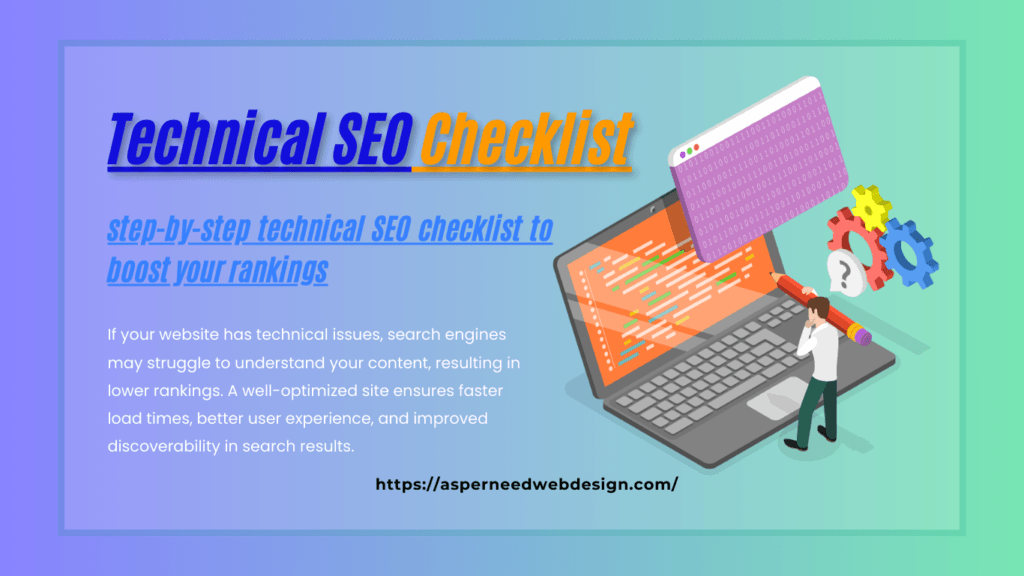
Ultimate Technical SEO Checklist: Step-by-Step Guide
If you want your website to rank higher on search engines, mastering Technical SEO is a must! But what exactly is technical SEO, and how can you optimize your site for better performance? In this guide, we’ll break down everything you need to know, including a step-by-step technical SEO checklist to boost your rankings. What is Technical SEO? (Technical SEO Meaning) Technical SEO refers to optimizing your website’s infrastructure and backend settings to help search engines crawl, index, and rank your pages effectively. Unlike content and backlinks, technical SEO focuses on aspects like website speed, mobile-friendliness, structured data, and security. Why is Technical SEO Important? If your website has technical issues, search engines may struggle to understand your content, resulting in lower rankings. A well-optimized site ensures faster load times, better user experience, and improved discoverability in search results. Essential Technical SEO Checklist Follow this technical SEO checklist to optimize your website and improve search engine rankings: 1. Ensure Website is Crawlable & Indexable 2. Improve Website Speed & Performance 3. Optimize for Mobile-Friendliness 4. Use Secure HTTPS Protocol 5. Fix Broken Links & Redirect Errors 6. Optimize URL Structure 7. Leverage Structured Data (Schema Markup) 8. Ensure Website is Free of Duplicate Content 9. Optimize XML Sitemap & Robots.txt 10. Monitor & Fix Technical Issues How to Choose the Right Technical SEO Agency? Not all SEO agencies specialize in technical SEO services. Here’s how to choose the right one: How to Check Technical SEO? Want to see if your site has technical issues? Follow these steps: How to Do Technical SEO Step by Step? 1. Run a Full SEO Audit (Identify issues). 2. Fix Crawlability & Indexing Problems (Sitemap, robots.txt, canonical tags). 3. Improve Page Speed (Compress images, enable caching, use CDN). 4. Optimize Mobile Experience (Responsive design, user-friendly interface). 5. Secure Your Website (HTTPS, SSL certificate). 6. Use Schema Markup (Enhance search visibility). 7. Monitor & Maintain (Regular audits, error fixes). Final Thoughts Technical SEO might seem overwhelming, but by following this checklist, you can boost your website’s performance, improve search rankings, and provide a better user experience. Whether you handle it yourself or hire a technical SEO agency, these steps will ensure your website stays ahead in search results. Need help optimizing your website? Start with a full SEO audit today!